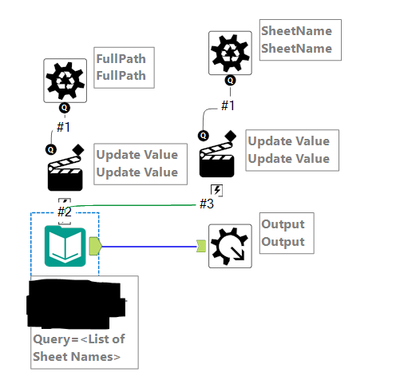
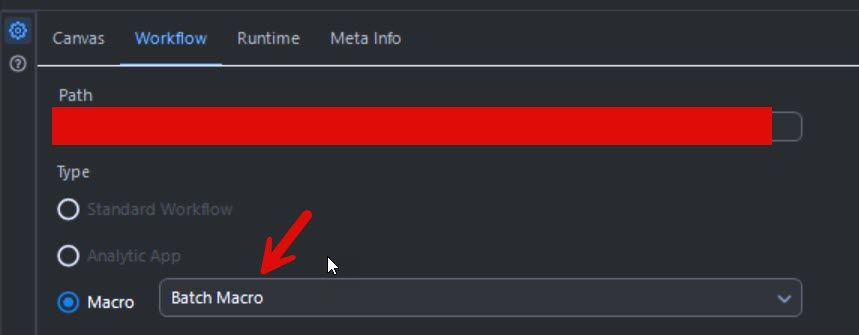
I thought the solution from this post would help me. However, whenever I use it, it is using the template sheet I put in the macro and only pulling out the values from here. It's not reading each individual folder in the directory and scraping the data from these. I'm not sure where the issue is. The first macro is supposed to be pulling out the sheet names of each excel sheet in the directory BUT it's only picking up the template sheet's names. The second is supposed to be importing the sheet data into a single file but again it's only doing it for the template sheet. This template sheet is what I need the data output to look like. Do I change this?
Any ideas?
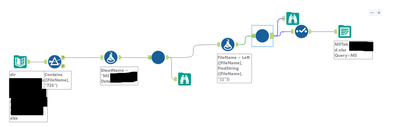
Should I use 'replace a specific string'? If so, what would I put in this box? I would like the file path to change depending on the file name. In the original, they just used this.
The screenshot is my batch macro. When I click on action, It has values or attribute to update. I have my action type as update value (default). Would this be correct?
You would put in the string you want to replace in that box that will get replaced by what comes through the batch macro - I can't tell if you've done it correctly since it's blacked out, but it would be whatever is in the Input Data tool in the macro that would get replaced by what comes through your main workflow into the macro
I've restarted this. Some of the files don't have the sheet name so alteryx is erroring this. I'm trying to surpass this via a dynamic input but any tips?