This time in a sample workflow we tested different models where;
- I loaded a sample dataset (german credit in the regression sample)
- Calculate Yes/No, ratio of defaults
- Split estimation and validation samples
- Trained random forest model and a boosted model on estimation sample
- Checked performance measures thru estimation sample running Lift Chart Tool and Model Comparison Tool for both models.
- Then checked performance measures thru validation sample for proper measures again using both Lift Chart Tool and Model Comparison Tool again for both models...
Here is the workflow;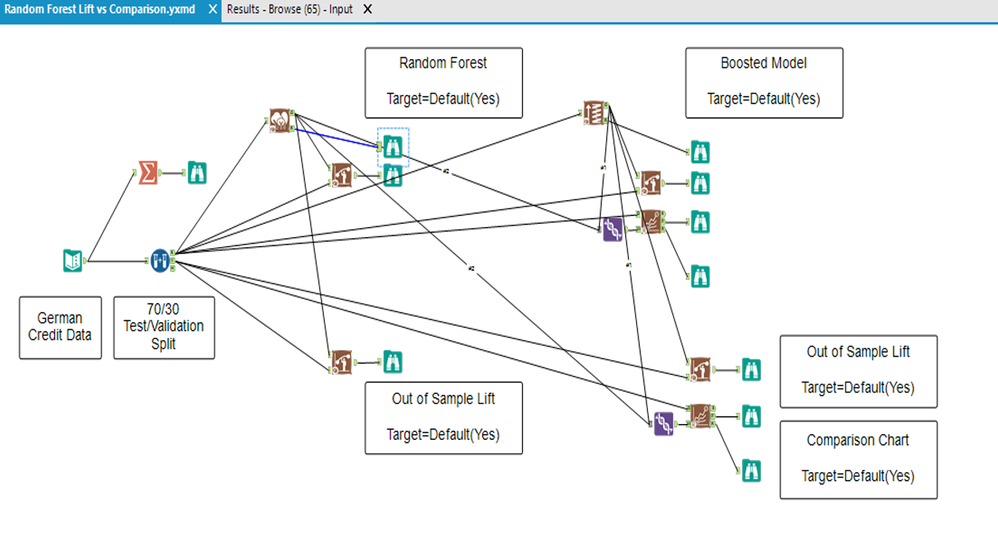
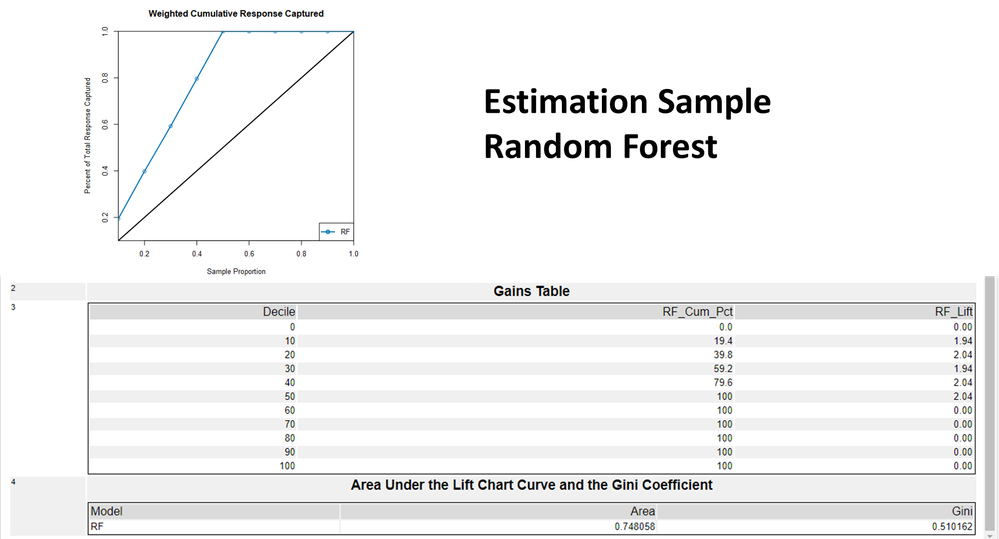
As you can see the random forest for the estimation sample shows a perfect model, it literally overtrained it, but 0,74 ROC, 0,510 GINI so the graph and the numbers are not relevant to each other... This is the first confusing situation.
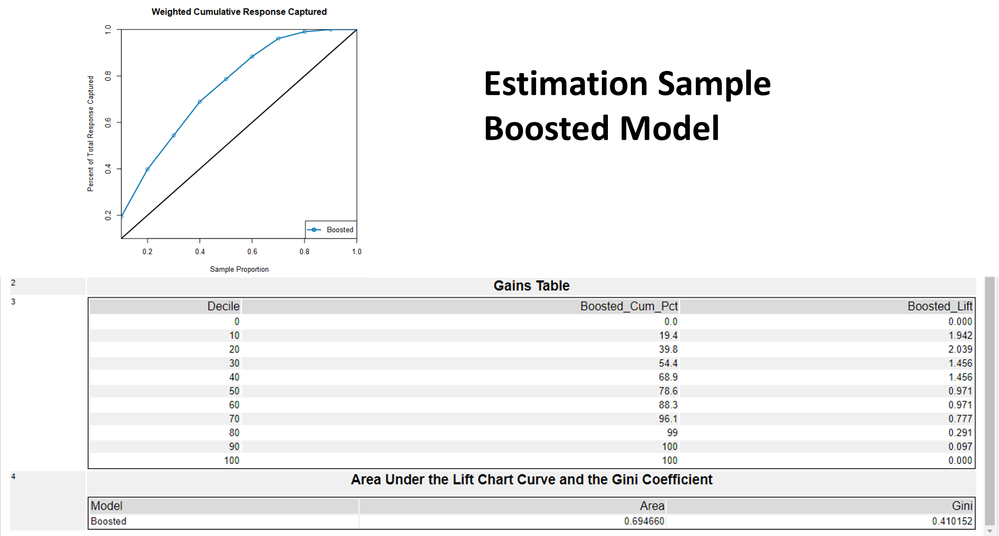
When it comes to Boosted model, for estimation sample the AUC is; 0,69
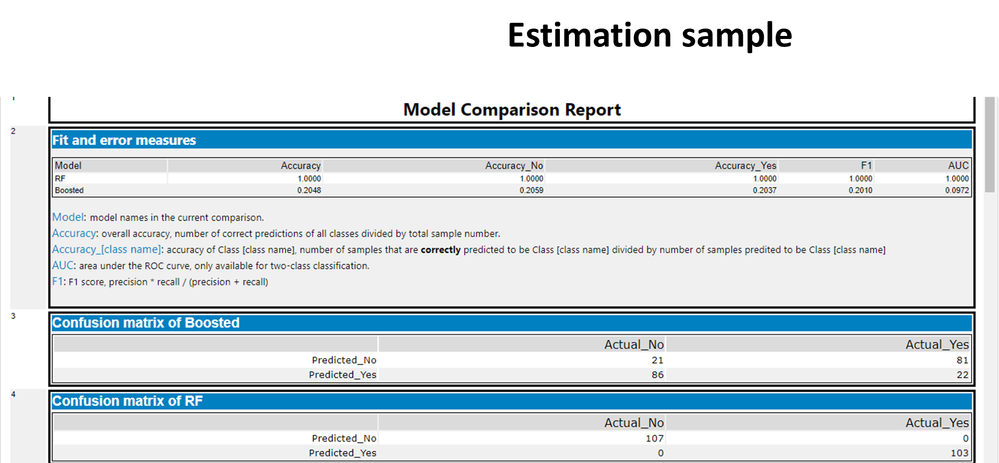
When we check these measures with a Model Comparison Tool for again the estimation sample
the AUC is; 1,00 instead of 0,74 for random forest
the AUC is; 0,0972 instead of 0,694 for bossted model... A huge difference "What's going on in here?!!!"
Here are the result this time for validation sample the AUC is; 0,639
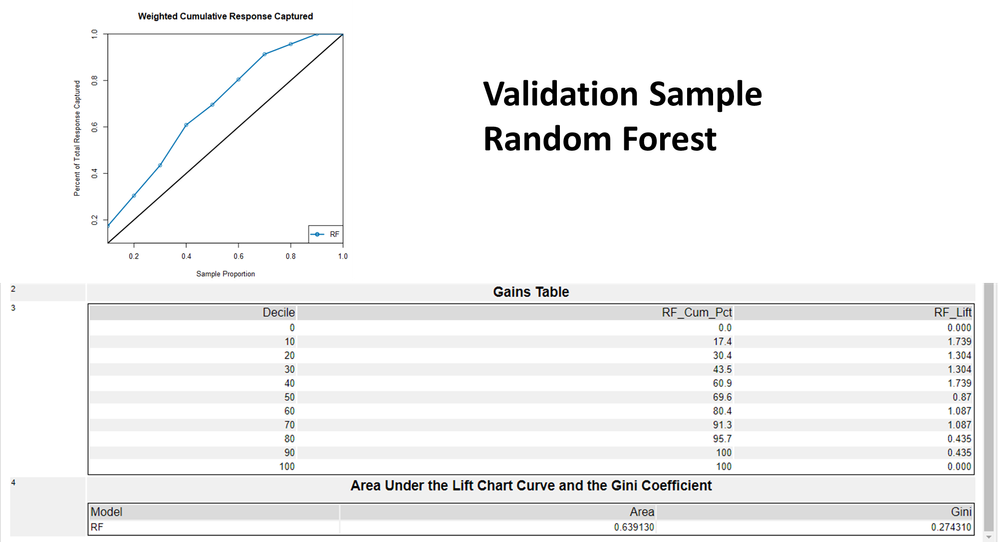
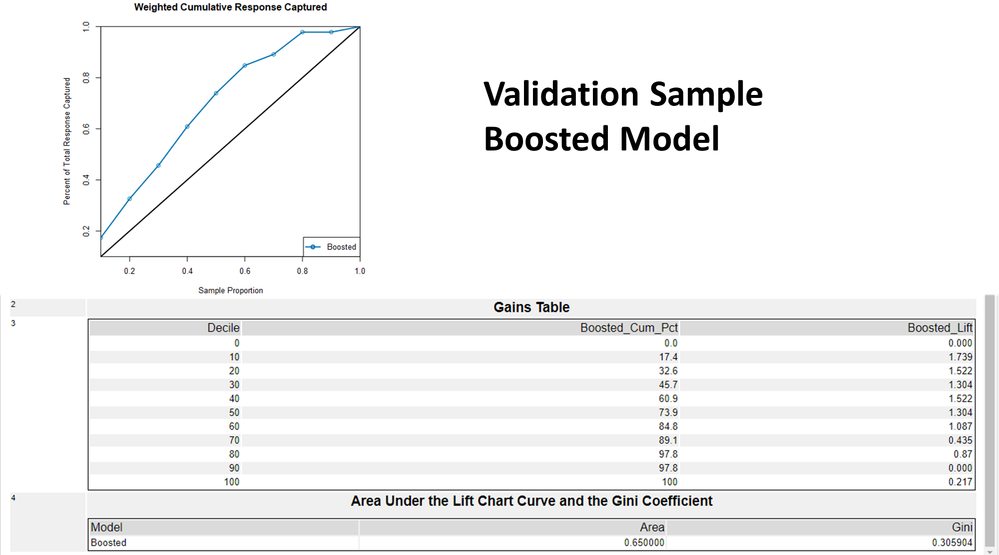
the AUC is; 0,65 for bossted model in validation sample
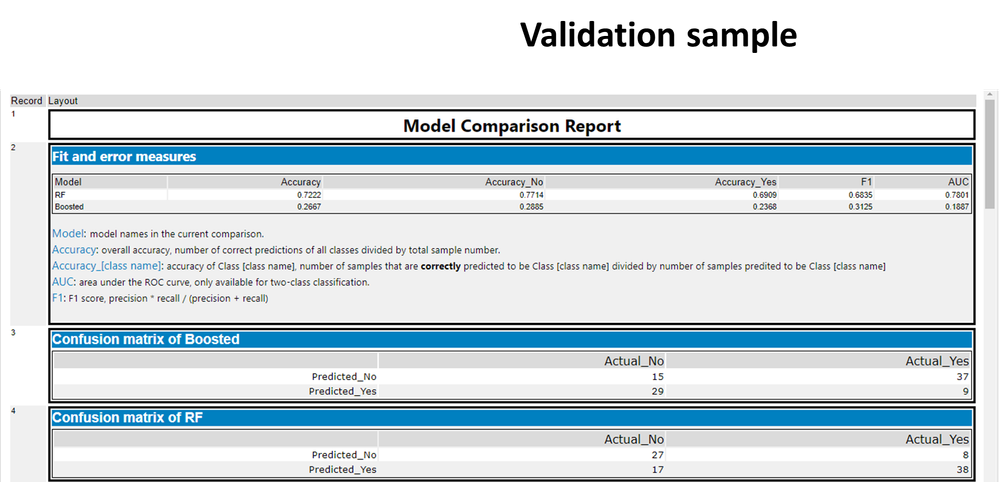
When we check these measures with a Model Comparison Tool this time for the validation sample
the AUC is; 0,6835 instead of 0,6391 for random forest
the AUC is; 0,1887 instead of 0,65 for bossted model... Again a huge difference apples to oranges, "What's going on in here?!!!"
When we look at the Gains and ROC charts Booste Model cureves are inverted!!!
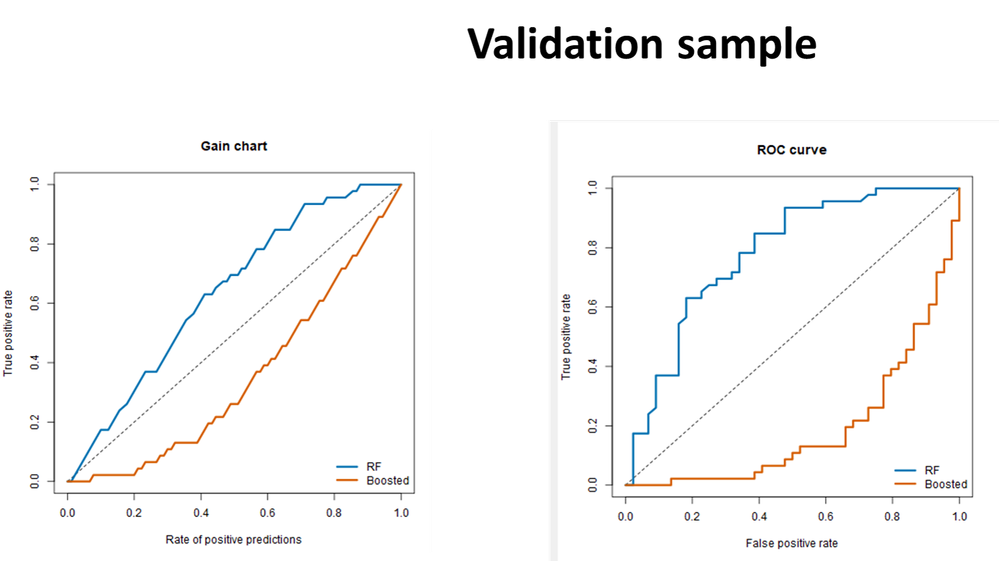
Although in the tool we mentioned the expected values are always "Yes" Boosting learns for the "No" target value instead I suppose...
#randomforest #boostedmodel #liftchart #modelcomparison #AUC #Gini


