In case you missed the announcement: The Alteryx One Fall Release is here! Learn more about the new features and capabilities here
ACT NOW: The Alteryx team will be retiring support for Community account recovery and Community email-change requests after December 31, 2025. Set up your security questions now so you can recover your account anytime, just log out and back in to get started. Learn more here
Start Free Trial

Alteryx Designer Desktop Discussions

Find answers, ask questions, and share expertise about Alteryx Designer Desktop and Intelligence Suite.
SOLVED

App - On success Open Browse and Resize

pleicht17
7 - Meteor

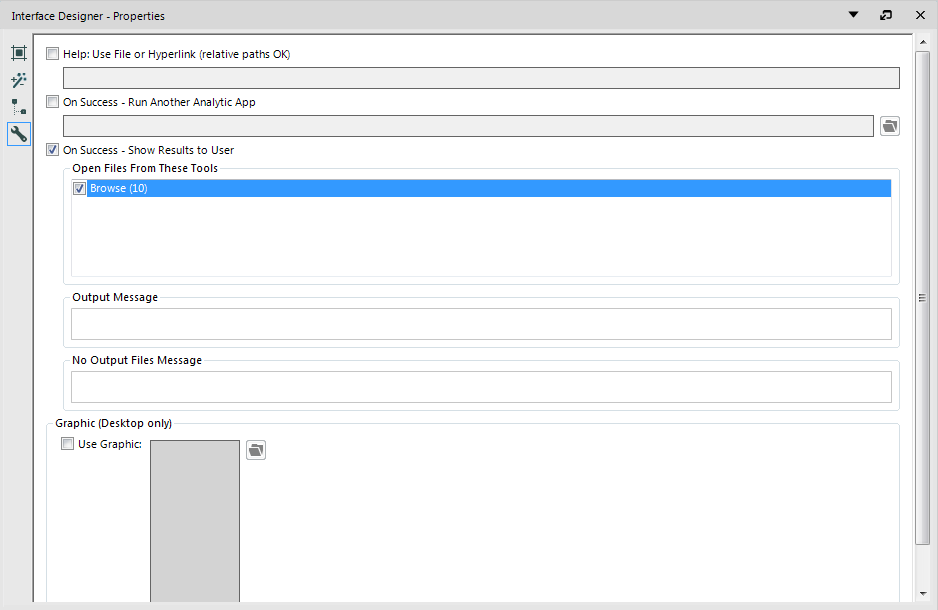
I have an app that will open a browse on success, as shown.
 

Browse Question.PNG


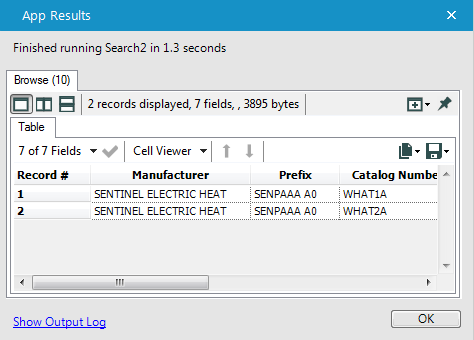
But it comes out in a small inconvenient size which needs to be resized to look at:
 

Browse Question2.PNG


I don't want my users to have to resize this every time. Is there a way I can change the default size to make it larger? Or possibly make the default a 'maximize'? This would greatly enhance my user experience.

2 REPLIES 2
rarmstrong
8 - Asteroid

You can add a Table tool (located in the Reporting tools) before the browse and use the Table tool to format the cell size, font etc.

mbarone
16 - Nebula
16 - Nebula

There is not a way to have a browse tool open up maximized.  As suggested, you'll have to deliver the output to the user through the reporting tools, or even an excel file.

Labels
Top Solution Authors