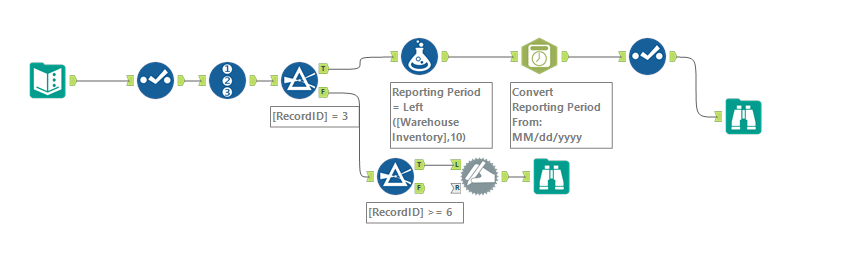
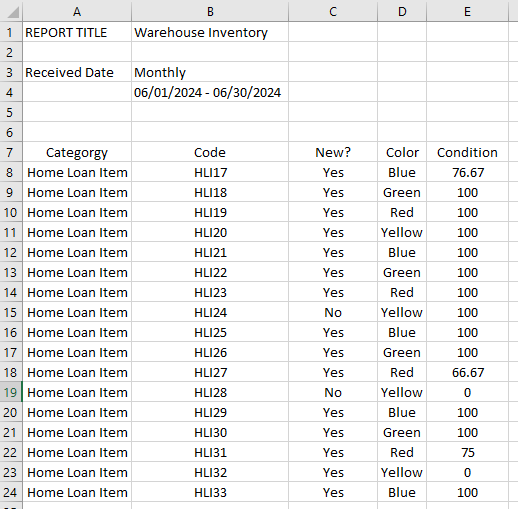
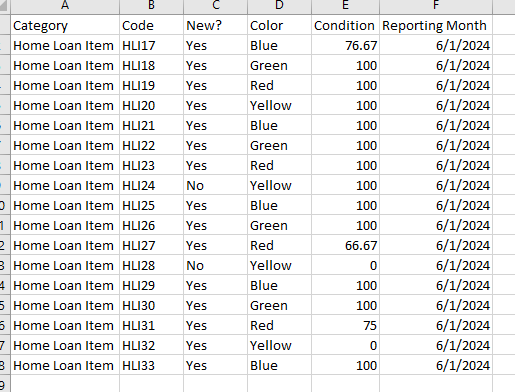
Hi. So, I get a CSV file once a month where the first several rows are blank or has specific data I need. In the attached workflow (I converted my csv file to text input for ease of seeking help), You can see that on 4th row, second column is a date range. I solved for extracting that for having June 2024 as my reporting month. I also solved for starting at row 6 to get my header and using Dynamic Rename. All good so far, but now I want to get the Reporting month to show up on each row so when I bring everything over to Tableau, I can filter on that month. Appreciate any help to get the data blended.
This is what the raw data looks like:
This is what I am trying to achieve:
Here is the workflow screenshot (also attached):