A couple of Important notes before we get started:
- This functionality may require Administrator access on the machine to be able to add files to that folder.
- it's important to know that this isn't part of Alteryx Designer User Settings probably for a reason - and your Alteryx Designer stability is at your own risk by changing files within these folders. I haven't experienced any problems with changing the Start Here file or adding additional files, however, I am not responsible for any trouble caused by doing so.
- This functionality is tested on the current version of Alteryx. New versions could stop this from working - so bare that in mind when upgrading.
If you've used Alteryx Designer, you will be familiar with this workflow:
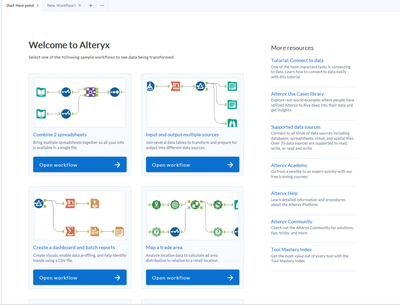
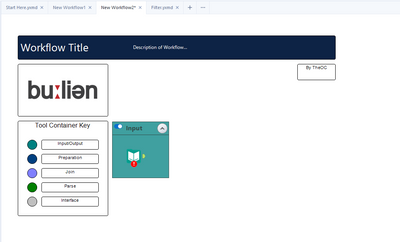
This workflow is great because it opens each and every time we open Alteryx Designer, and it's a great launch pad for development and learning. I was interested in having a dig around, and see if I can get other workflows to open when I first open Alteryx Designer. The easiest example for this, is a workflow template with company branding, style guides, and annotation descriptions. From a development perspective, it would be useful for a template workflow to open each time I open Designer.
I will be using this workflow for a demonstration, which I would like to use as my template for future development:
The next steps are really quite simple - we just need to find where the Start_here.yxdb file is located. To do this, you can either hover over the file name:
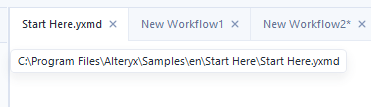
Or we can right click ➡ Open Containing Folder:

Here we can see the Start Here workflow:
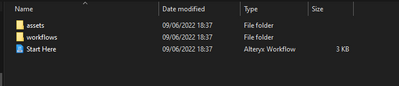
Each and any workflow within this folder will be opened when a new instance of Alteryx Designer is created. If we add our workflow to this folder, and then open Alteryx Designer, we will now see two workflows when opening Designer:
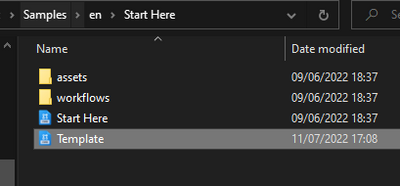
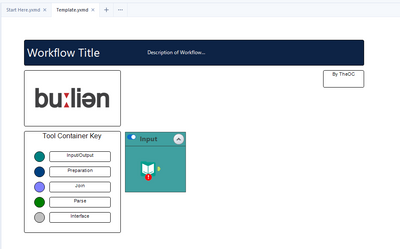
I can, of course, delete the Start Here file too if required, and add additional workflows that may be useful to me or my organisation.
Also, it feels weird creating a how to post without a gif - so let me thank you, fellow nerd, for reading my post!

Let me know below how you use this functionality too! I am curious to see what other use can be gained from setting default workflows!


