Hi,
It states no sheet specified, you must specify a sheet when I have my dynamic input but I did specify a sheet. What could cause this?
thanks,
Hey @VeronicaElse,
Without a screenshot of your workflow or your workflow file its hard to say. When I get this error:
I need to add the sheet name like this:
thanks for your response! I am fairly new to Alteryx so I am still having trouble.
This is the error I am getting
Warning: Dynamic Input (40): The file "K:\Delegation_Oversight\Vendor Monthly Reports 2021\core\2022 GBS\Directory Input Folder\GPD Tableau Appeals\core Appeals Report HEALTH CARE SERVICES CORPORATION 2022-04-01_2022-04-30.xlsx" has a different number of fields than the 1st file in the set and will be skipped
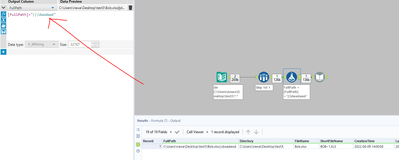
along with the screenshot attached.
I had a colleague tell me this below to correct, which I don't know how they are not identical? & they are off today.
---for the dynamic input to work, all files need to have an identical format, so no extra columns or different data types
Any suggestions would be great!
thanks!
Hi @VeronicaElse,
This knowledge base article gives you a step-by-step instruction on how you can set up your own simple macro to read multiple excel tabs with different schemas: https://community.alteryx.com/t5/Alteryx-Designer-Knowledge-Base/CS-Macro-Dev-Reading-in-Multiple-Files-with-Different-Field/ta-p/13370
To read in only specific tabs within your excel spreadsheet, simply use the Filter Tool after your Directory Tool to filter out unwanted sheet names.
This simple input macro is a really handy one to have in your arsenal of frequently used Alteryx tools, so I would strongly encourage you to visit the link above. 🙂