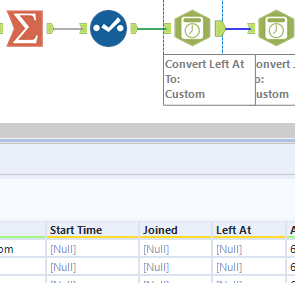
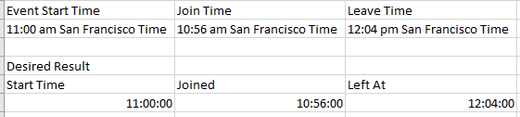
Hi everyone!
I'm trying to convert a string with time at the beginning into a DateTime field so I can use DateTimeDiff([Left At],[Joined], "minutes") to calculate the difference between when someone joined and left a meeting.
The data is always the time followed by am/pm and location (11:00 am San Francisco Time).
What I'm looking for is pulling out 11:00 and dropping the rest.
What I've tried is Text to Column to pull out only the 11:00 then Select to change to Time or DateTime. Both don't work in the DateTime tool when trying to convert to 11:00:00 to use the DateTimeDiff formula. It gives me a null value instead after changing the type.
When I summarize I get the data to come through
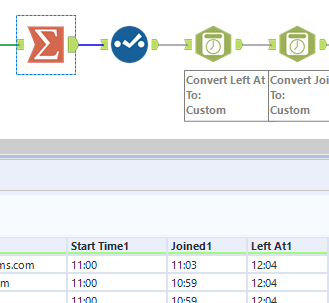
But when I use DateTime tool it returns as Null