Hello,
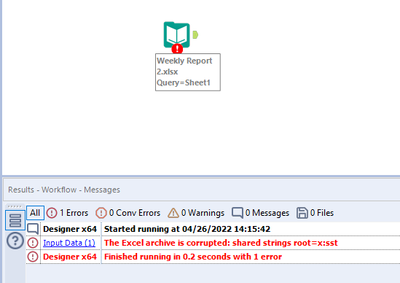
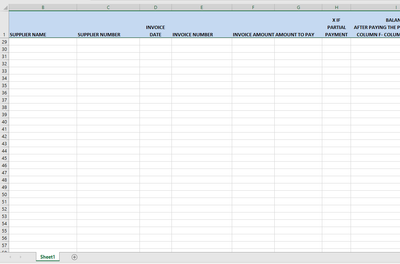
I am running into issues reading .xlsx files automatically using an Input Tool (the tabs are always going to be named "Sheet1" - because the file is saved to a network drive by a UiPath robot with the results of a robot's run in a format with like 12 columns). However, when I try to drag one of the completed .xlsx files to my Designer canvas without opening the Excel file and hitting save - I get the below error "The Excel archive is corrupted: shared strings root=x:sst".
I saw some discussion about that sometimes when files are saved down they are missing some sort of "XML" data that allows Alteryx' s input tools from reading in the Sheet data without manual intervention.
Because of this limitation (open to if anyone has any idea on how to fix this issue), I am wondering if a workaround is writing some sort of Batch script that can be fed through the Run Command tool in Alteryx that would open up the file (knowing it has Sheet1 in there, but not visible to Alteryx), save the file as is, then close Excel. After this Run Command is complete - I can then actually try to read in the results of those files into a Dynamic input tool or an Input Tool with 0 issues.
I don't want to have to go out to these Excel files each day and open / save/ close them manually when Alteryx has to be able to complete this somehow.
Thanks,
@taxguy33