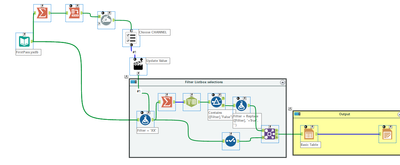
After searching for a few days and not finding anything that truly gave me enough guidance to solve my issue I managed to pull together several different posts to arrive at a solution which I hope will help another lost soul down the line.
The key issue with list box is once you connect it to a tool to populate the tool, there doesn't seem to be a way to effectively control the filter. Just about every example on the Internet directly connects the list box action to a filter but that does not work because the selected and unselected items are returned from the list box control and they are in a fairly unusable format
This:
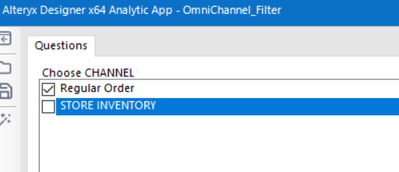
returns:
Regular Order=True,STORE INVENTORY=False
Here's what I'm pushing to the list box (I'm removing underscores for readability, but you will need to compensate if data has a mix of underscore and no underscore since the cross tab adds underscores), I don't believe the value is used for anything but a place holder:
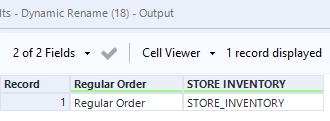
the list box action should update a formula tool and not a filter. I have the action replacing a specific string (XX in my example)
The formula tool has a new Filter column that has the value 'XX' that is updated by the action and then
- group by to get only one row for the filtered values
- parse into rows for each filtered value
- remove the 'false' records
- remove the extraneous text '=True'
- join the filter back to the original data to perform the filter