To disable the AMP engine on the Alteryx Server/Gallery side, please follow the procedure steps below.
Prerequisites
Procedure A: How to disable the AMP Engine globally
1. Open the Alteryx System Settings.
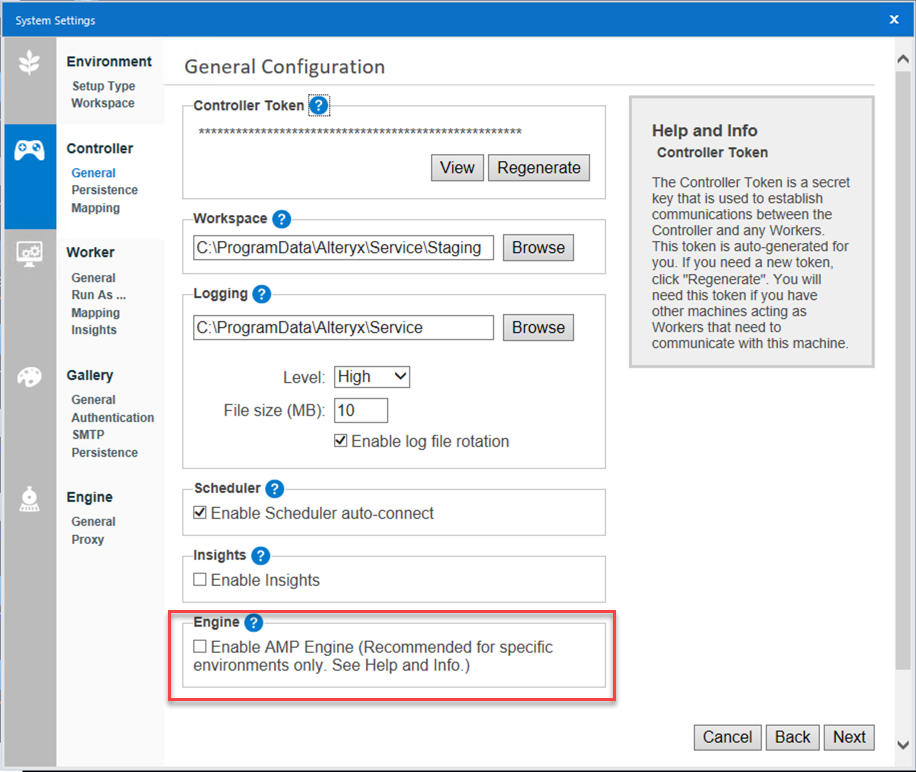
2. Go to Controller > General.
3. Locate the option Enable AMP Engine and uncheck it.
Procedure B: How to disable the AMP Engine for individual workers
1. Open the Alteryx System Settings.
2. Go to Engine > General.
3. Locate the option Engine: and select "Original Engine Only".

Additional Resources


