My colleagues are unable to run a workflow on a shared drive that uses the CREW macros.
I have installed the CREW macros onto the shared drive; however, the CReW.ini file that was installed was created on my local C drive, although it references the macros in the correct location on the shared drive.
Do all my colleagues have to install the CREW macros, so that they have their own ini file or how can we use a shared ini file on the shared drive?
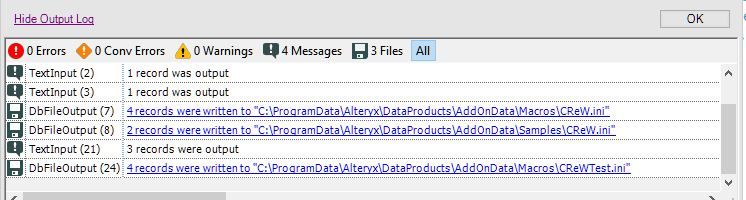
Below is the log from running the Install app from the shared drive. As you can see, the CReW.ini is on my local machine:
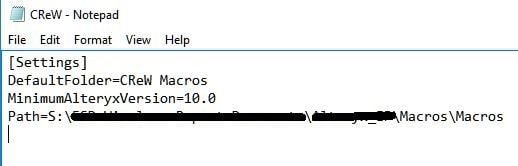
When I open the CReW.ini, it correctly points to the macros on the shared drive.
Additionally, all the workflow dependencies correctly point to the macros on the shared drive and have the full UNC reference.
We want to be able to save all the workflow components (including the CREW macros) on to the shared drive and then want anyone in the team to have the ability to run or further develop the workflow. We do not want to publish the workflow.


