Hi,
I am a new user. I want to replace characters in the name field
for example
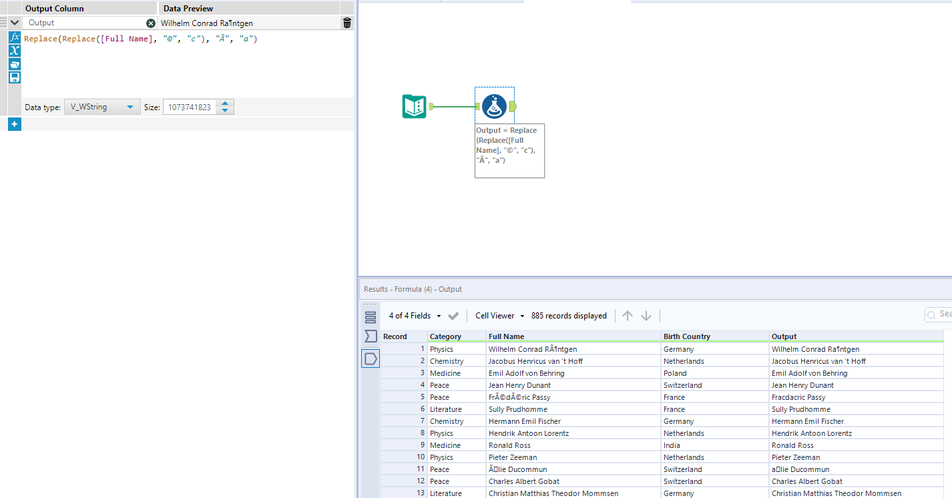
Frédéric Passy changed to Fracdacric Passy
How can I do this for the entire column
Thanks
Saagar
Hi @Saagar
You can use the formula tool replace function like below.
Hope this helps : )
You are correct you would need to do like below
Hi @Saagar This can be done with two tools:Data Cleansing to remove symbols (©)Formula to change accents back to their base letters (Ã)Please find attached.Cheers,TheOC
@Saagar I would suggest to use a Find and Replace Tool.
And a manually maitenaned Dictionary for the replacement.
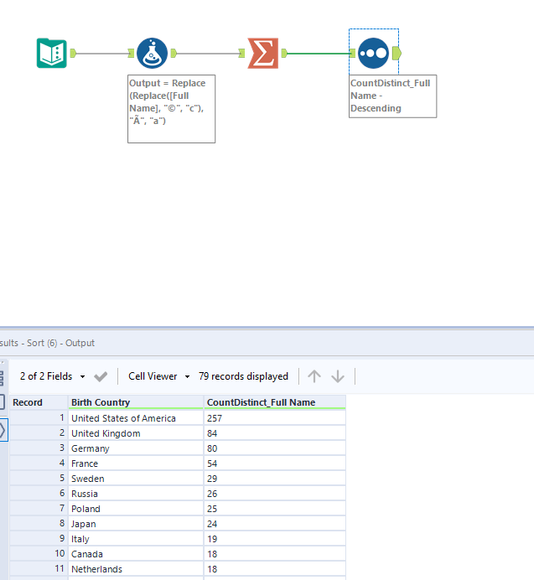
I don't want to count names which are repeated