I have a requirement where I need to create multiple virtual environments that I need to use in my Alteryx workflow's Python tool.
Currently I see only one default environment and there is no option to change it
I have even created a new conda virtual environment but still I am not able to see in Python tool under 'Change Kernel' option.
I followed below steps to create conda virtual enviroment:
- Changed directory to below path:
C:\Users\<USER_NAME>\AppData\Local\Alteryx\bin\Miniconda3\Scripts - Opened command prompt in above path and issued below commands:
#List all Conda ENVs
conda env list
Result: base
DesignerBaseTools_vEnv
#Create Conda Env
conda create --name testenv1 python
3. Opened Alteryx designer, placed Python tool to Canvas. Under Kernel menu, tried to 'Change Kernel' but still it shows the default 'DesignerBaseTools_vEnv' only.
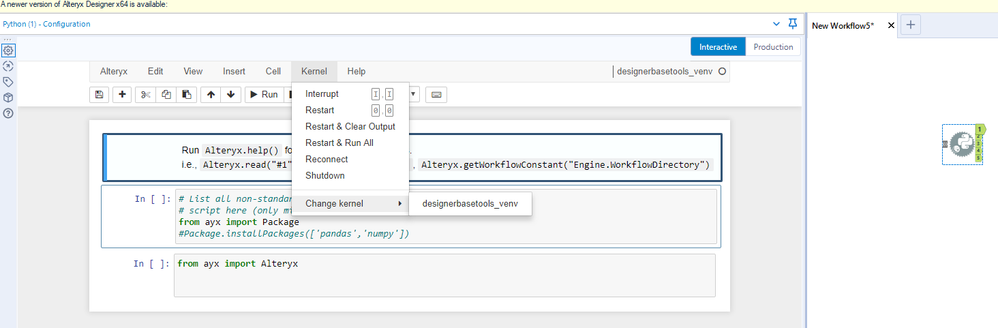
Please let me know how to get this done.
Any help/suggestion is much appreciated.
Thank You


