In statistics, imputation means replacing missing data with substituted values. This is an important thing to be able to do in many data science tasks, particularly in model building. Many of the Alteryx predictive tools, which are coded in R, will not accept variables with null or missing values. Imputation allows you to include rows or fields of data with null values in these models by simulating a value to replace the nulls.
Alteryx does have a built-in Imputation Tool, which will let you do all sorts of handy imputations such as replacing nulls with the field mean, median, mode, or even a constant specified by the user. These options cover the most common imputations a data scientist may need to perform. But what if you have a calculation in mind you wanted to use to replace your null values not included in the basic averages available in the Imputation tool? This requires performing your imputation with a workflow instead of the tool.
The good news is that this can easily be accomplished with a few tools from the Transform Category, a Join and a Formula.
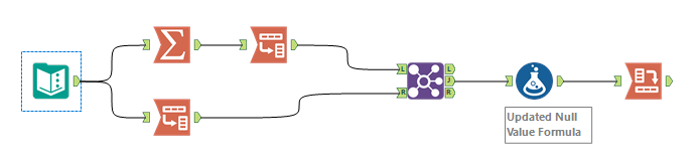
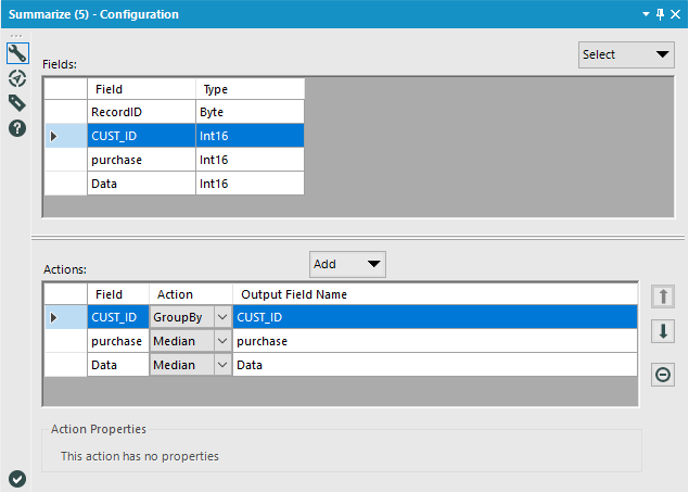
First, use the Summarize Tool to find the average of each of the fields you need to impute values for. Here, select the summary statistic you are interested in (such as mean, median or mode) for each field you are imputing values to. You also have the ability to group the summarized values by another field. This can be handy if you want unique imputations for different groups of data. For example, if you had multiple purchase values for each customer, and wanted to impute values for customers with null values based on the average purchase value for that customer, then you would include a group by customer. This will only work if there are enough valid values in each group (it is impossible to impute a value if there are no values to start with).
Next, use the Transpose Tool to shift your fields of interest into a single column. Concurrently, you will use another Transpose Tool on your original fields of interest so that all of the values in each of your fields, including nulls, are in a single column. If you are grouping your imputations by an additional field, make sure to select that field as a Key Field in your transpose tools.
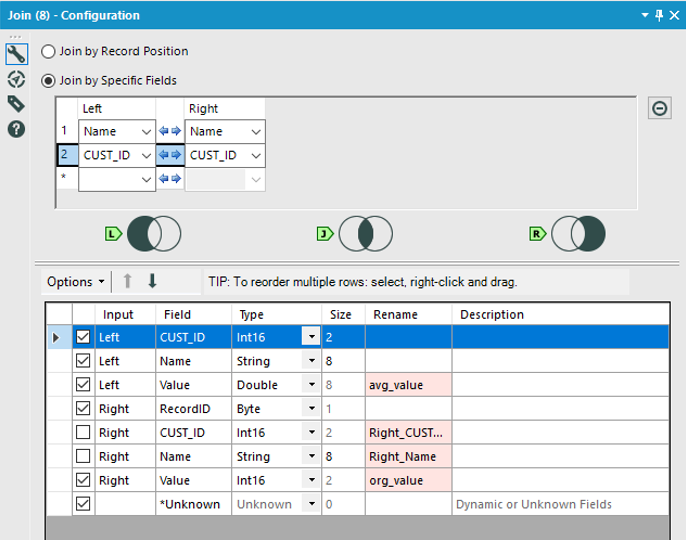
Then, Join the two data streams together on the Name Field created by the Transpose Tool. This column contains the name of the field each data point in the value field belongs to. If you've grouped your values for imputation, you would also join on your grouping field. This join results in a combined data set where each value has an associated field average with it.
Use the Formula Tool to calculate your imputation value and replace nulls in it with a formula like this:
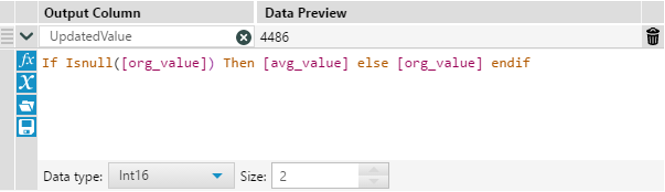
Where org_value is the field with your original data, and avg_value is the calculated average for each field generated by the Summarize tool. In this step, you could easily modify the replacement value (everything between Then and Else) to factor in a constant offset or other calculations.
Finally, use the Cross Tab tool to return your data to its original format.
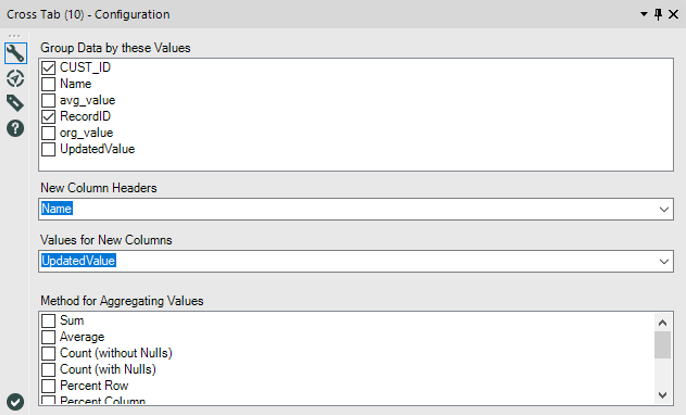
And there you have it! A data set with custom imputed values! See the attached v11.7 workflow CustomImputation.yxmd for the above example.
Remember, with great power comes great responsibility. Make sure your custom imputations are statistically valid and make sense for your data set. 


