Hi,
I've been trying to figure this one out for a few hours to no avail.
I set up a macro to check if a file is locked, leveraging the Run Command tool and a batch script.
 Relative directory
This works beautifully when I run this macro from my machine, since I have write access to the working directory.
 Local working directory
But when I try to run this same macro from the server (i.e. I call this macro from a workflow that is saved into our company gallery and is run from that server machine), the Run Command throws errors (generally "1"), which suggest that one or more of the files can't be created or read.
When I checked what the working directory is for the server machine, I see that it is a sub-folder under ProgramData/Alteryx which I apparently am unable to write to or read from.
 Server working directory
So then I thought that I could specify a distinct network directory that I know the server box has access to. And while this works fine for the Write Source and Read Results sections, I am unable to use a UNC path in my command line argument.
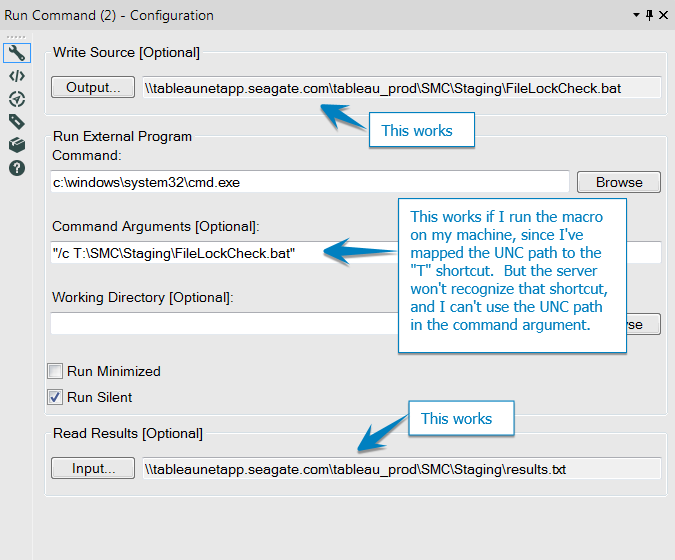
So my question is: how can I set up this macro so that it can either a) always use a relative path that the machine running the workflow actually has write access to, or b) use a defined network path without running into the UNC issue?


