Hello,
I want to create a blank column as a way to visually separate my data. Is this possible? I don't want any values for the header or rows.
Hi @markalves
Create an empty column using the formula tool. Position it as required in select tool. Rename the blank column to spaces " ". This way it looks empty.
Workflow:
Hope this helps : )
Hello @markalves
I believe you have to have some value for the header, but you could make it something small like just a single period. To create a blank column, just create a new field with a formula tool and put a set of double quotes as the value (which is an empty string).
Hope this helps!
Hi @atcodedog05,
You can improve your idea by making a column blank. When creating it just put this as a value "" you will not get information that you have an extra white space in your column(no red indicators on the top right corner of the cell).
Agreed @Emil_Kos 🙂 had a similar thought 😅 updated the same.
Thanks 🙂
Thank you this worked well. I guess my next question is now...when I have these blank columns, and I create a basic table, the table automatically hides the column or the width is so small as to look hidden. I tried to change the column width manually with a fixed width and also a percentage width, but neither of them worked. It still has a miniscule width. I even tried to put around 20 white spaces as the column name but it is still super small.
@markalves Are you outputting to Excel or where are you seeing this not work?
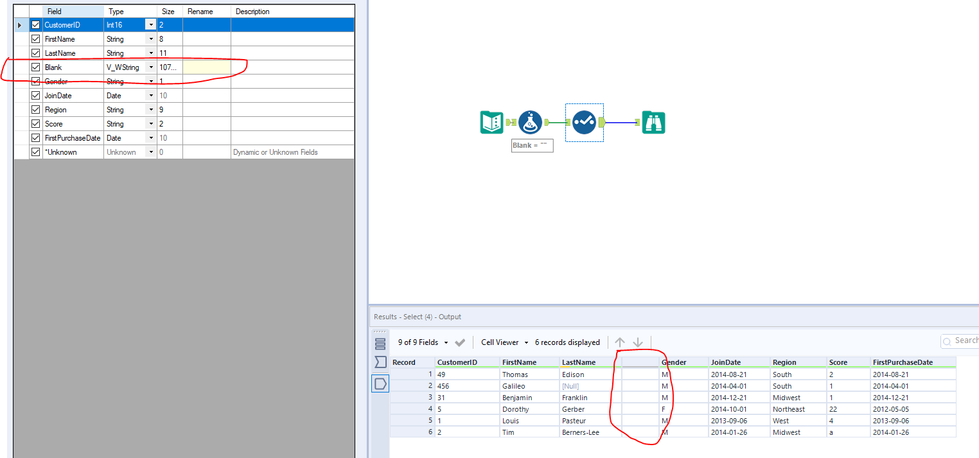
I used a render tool to output to excel. It also does the same thing with the browse tool. Here is what it looks like in the browse tool.
I just came across this example that seems to accomplish the same result. Using the summarize tool on the Basic Table to Combine horizontally. I had no idea this functionality existed for summarizing tables! https://community.alteryx.com/t5/Alteryx-Designer-Desktop-Discussions/Split-data-based-on-column-value/td-p/673966