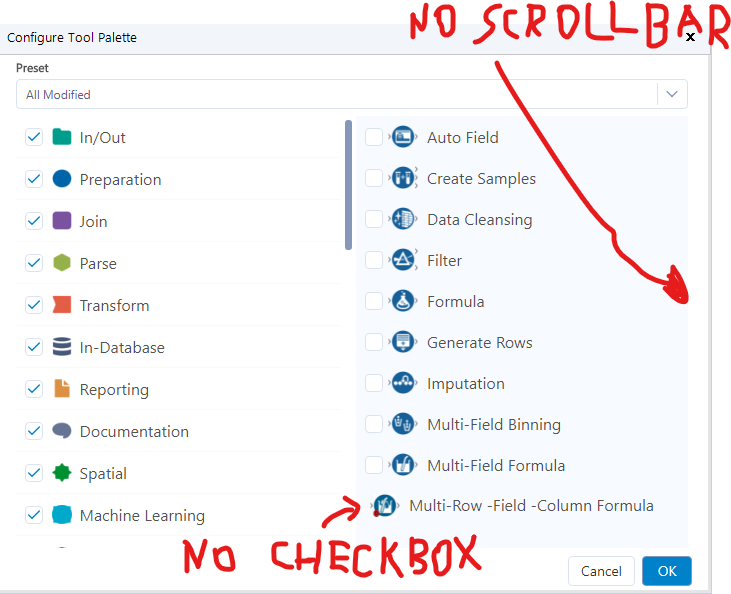
I found the following error: I added the tool to Designer, and then clicked on the "+" sign in the upper right corner, in order to configure the tools. The "Multi-Row -Field -Column Formula Tool " was added to the "Preparation" tools - when you click on that section, you should see all tools in the Preparation tools section. But the last item you currently see in the right window is the "Multi-Row -Field -Column Formula Tool ", and the scrollbar does not show up, so there's no way to scroll to the tools that come alphabetically after "M". My suspicion is that the presence of this non-default tool is the culprit for the missing scrollbar. There's also no checkbox for the tool. Hope this helps