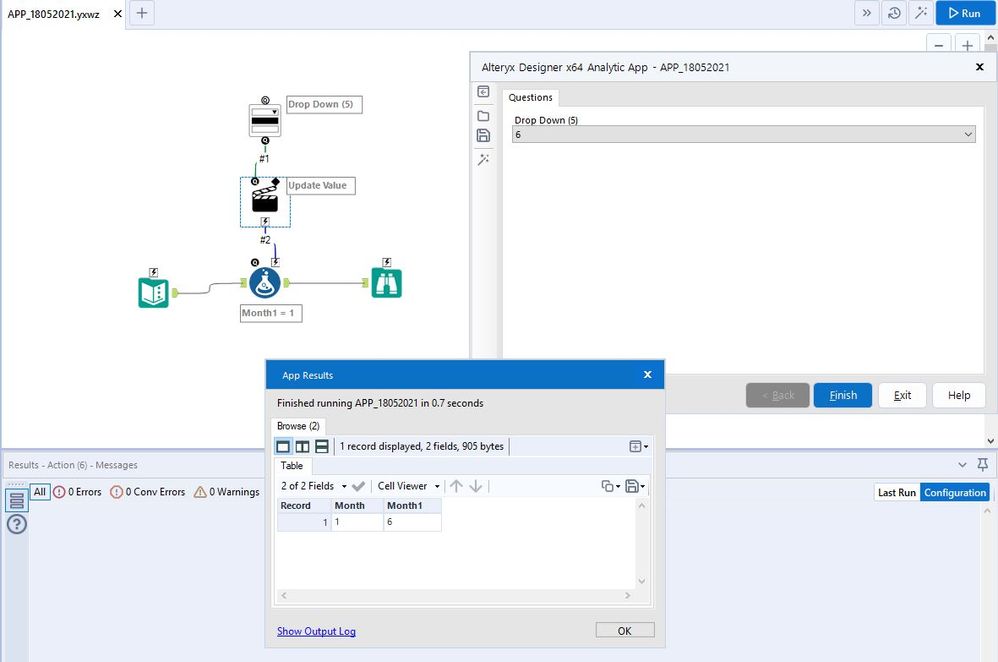
Hello,
I am attempting to use a combination of a Drop Down Tool and an Action Tool to fill numerical month values into a column called "Month1".
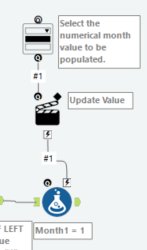
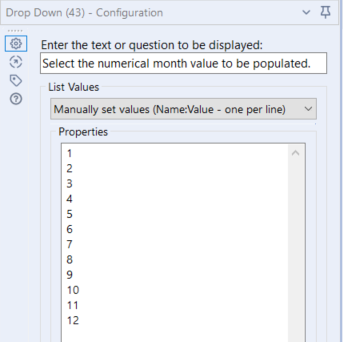
Starting with the Drop Down Tool, I have created a list of months in numerical value, 1 through 12, for the user to choose from.
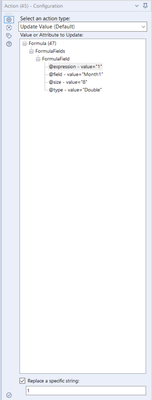
On the Action Tool, I have selected Formula > FormulaFields > FormulaField > @expression - value="1" and "Replace a specific string" is set to 1. I have it set to this only because this is the first numerical month option.
I believe my problem lies with the Formula tool that all this feeds into. I currently have the output column set to [Month1] and simply a "1". I would expect this to change values as the user's input changes from the Drop Down Tool, but it doesn't.
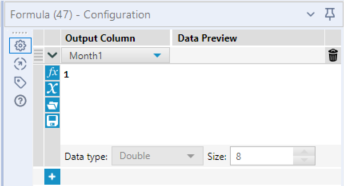
I would like the user's selection from the Drop Down Tool to fill each row of the field [Month1]. I would expect it to look something like this.

However, when I run the workflow as an app, I get an error message saying there were no output files. If I selected, let's say 4, from the drop down, the values in field [Month1] remain 1. I would expect the column to be filled with 4's instead.
Where am I going wrong? Any help would be appreciated!