I set Alteryx server up to use Windows Authentication and with somebody else as the default gallery admin. I followed the link to bring me to the gallery and it worked just fine. One of my coworkers then needed to publish a workflow, so I went back through the Alteryx System Settings wizard and changed myself to be the default admin. This way, I could sign in, divvy out a couple permissions, and change the settings back. That all worked fine as well. But once I changed the settings back such that my coworker was the admin again, I got this error window when I tried to log back into the Gallery:
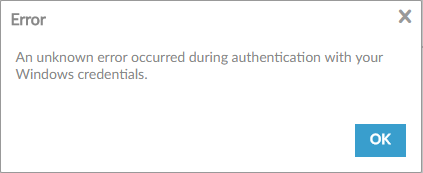
Now I get that window every time I try to log into the gallery. I've tried logging in from different computers and different browsers as well as clearing my browsing cache/history. Nothing seems to work. I had the new administrator reset my password, but my Windows password doesn't have a special character in it and the prompt required me to add one. I'm not sure if the password change even took effect, since we're on Windows Authentication. How can I regain access to the Gallery? What did I do wrong in the first place?


