Hi Community
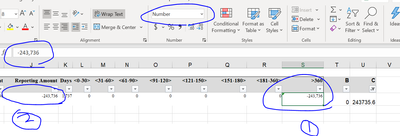
I would like to seek the help on the table formatting error in Alteryx as per the screenshot below. From the screenshot below, there is triangle at the top left of the cell and if i use the formula sum in the excel to calculate the number , it cannot be captured .
May i know if anyone know how to fix this in the Alteryx as i have multiple of rows but only this number have the issue. Is it because of the longer value? As you can see, the screenshot labeled number 2 have no error but screenshot labeled number 1 have this error.
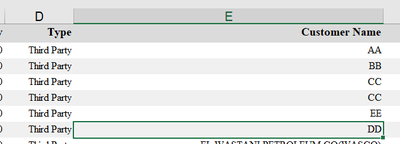
Secondly, i would like to ask if we able to adjust the alignment to the left as i not sure why the alignment all to the right.
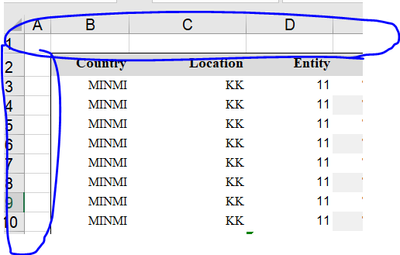
Lastly, is it possible that we add extra empty row and empty column as per the screenshot below?
I have also attached the sample workflow for your easier reference.


