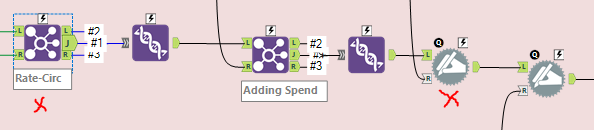
I am looking to maintain the order of columns after a dynamic rename. I believe designer thinks the columns are new and throws them to the end of the list. I need the columns to be in a specific order prior to output. The columns will not always be the same values. they are dependent on user input. In my picture, Columns M-O need to come before C-G and P-R need to come before H-L.

As you can see in my join, I have a specific order. A rename for Year One Rate, Year Two Rate and Year Three rate put the columns down to the right after the columns H-L
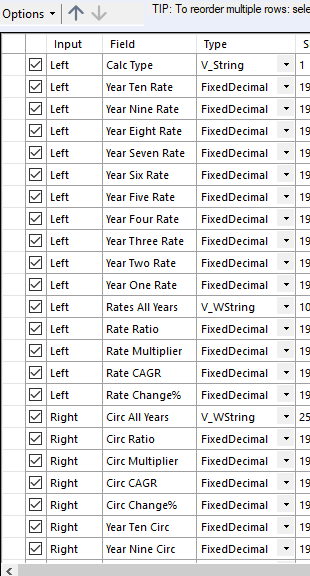
Below the join marked with a red x is the join above. The dynamic rename is an attempt to rename the generic columns with more meaningful names including dates from user input. However, at the end, all the columns for Rate need to stay together and the columns for Circ need to stay together etc. After all the rate and circ I'm appending spend and the same issue piles onto the other. Any assistance would be greatly appreciated.