Hi All,
I've been having this issue with Alteryx Designer. So using normal ODBC connection in Designer to append data to a table in MS SQL Server works just fine, but when uploading to the Alteryx server, I am required to change the settings to a DSN-less connection, meaning I need to use the ODBC connection string.
I am using: odbc:DRIVER={SQL Server Native Client 11.0};Uid=;Pwd=;Database=;Server=; format
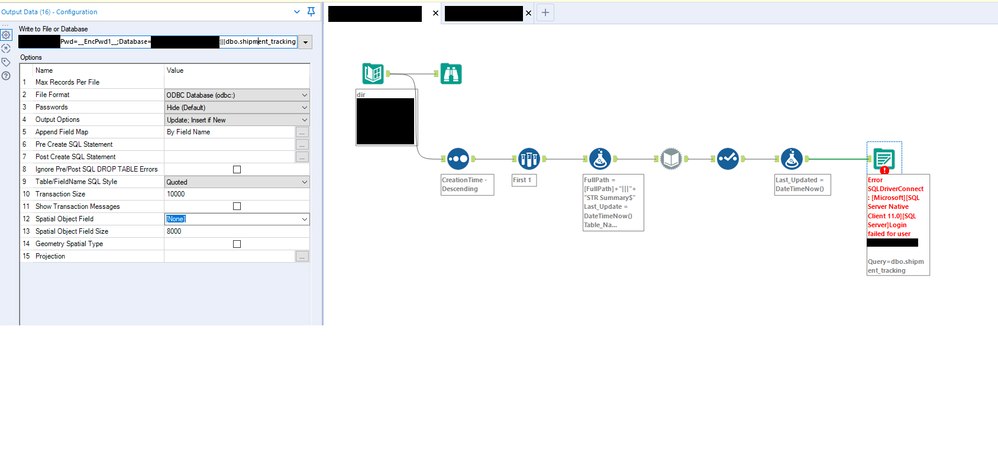
Doing this doesn't work, as you can see there is no option for "Table Name". So when I do this, I get the "Dynamic Input: No table chosen" error, which I can understand. Looking through forums, I see that I'm supposed to concatenate the table name at the end of the connection string, but whenever I do that, I get an error " Cannot login for the user: ". It starts to give me a login error, when it doesnt if I don't concatenate the table name. I tried:
Concat table name to database
odbc:DRIVER={SQL Server Native Client 11.0};Server=;Uid=;Pwd=__EncPwd1__;Database=BP_test|||dbo.shipment_tracking
Concat table name to password (some forums online did it this way)
odbc:DRIVER={SQL Server Native Client 11.0};Server=;Uid=;Database=BP_test;Pwd=__EncPwd1__|||dbo.shipment_tracking
None of these options seem to work. I tried the changing the fullpath to include the table name, that didnt work either. Any idea how I can fix this?