Hello,

My objective was to replace the "Revised Name 2" for a particular location group with the highest frequency count name. First, I duplicated "Revised Name 2" to "Revised Name 3", then used Multi Row tool to update the Revised Name 3 column for the location group (record 145-153) using the expression [Row-1:Revised Name 3]. But I want to use the "Create New Field" option in Multi-Row Formula tool so that process would take place in Revised Name 2 column, but the output would be shown in the new column.
When I am using the "Create New Field" option in Multi-Row Formula tool, it gives me below output:
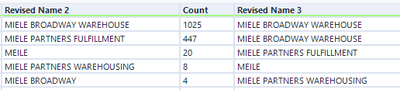
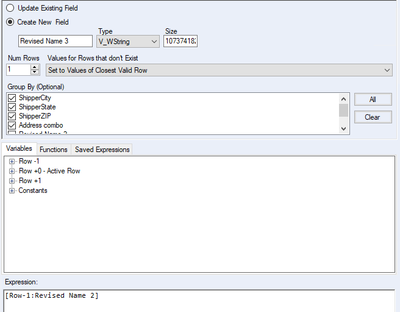
I believe I haven't written the expression correctly. Need advise on how to resolve this with the correct expression that would give me the output like in the 1st picture. Thanks in advance.


