Hi all, I know there are a few similar threads on this topic but I feel like I've tried most of them without a successful resolution. Hoping a refresh on this question may yield better results.
Situation: I have a workflow sitting on a virtual machine that I log on to via remote desktop. This VM hosts our Alteryx Server where I have a scheduler set up. When I am logged on to the VM, my scheduled workflow runs successfully (either through the Designer, through manual trigger on the Alteryx Gallery, or through a scheduled trigger). When I close my computer, the scheduler fails, giving me the error: Error code: 1: The system could not find the environment option that was entered. (203). Only when I log back into the VM will the scheduler work.
See below:
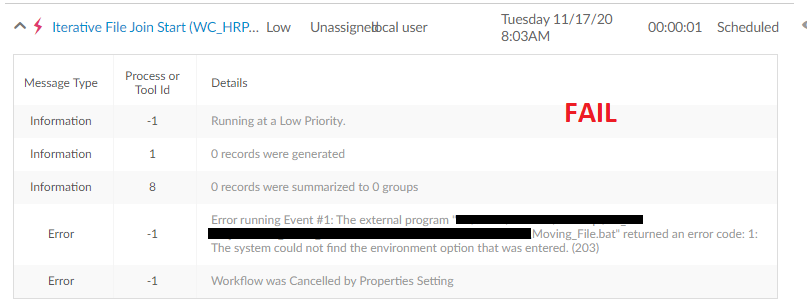
When I log in to the machine and re-run the scheduled workflow on an external computer (or on the VM Alteryx Gallery browser window), it works fine.
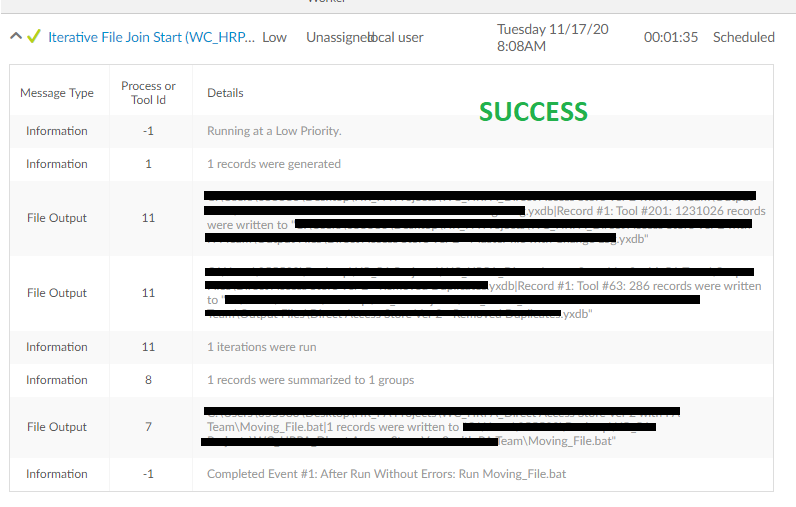
My workflow runs two activities: a macro and and a create .bat file action. My input is a directory to a Sharepoint via One Drive. See below: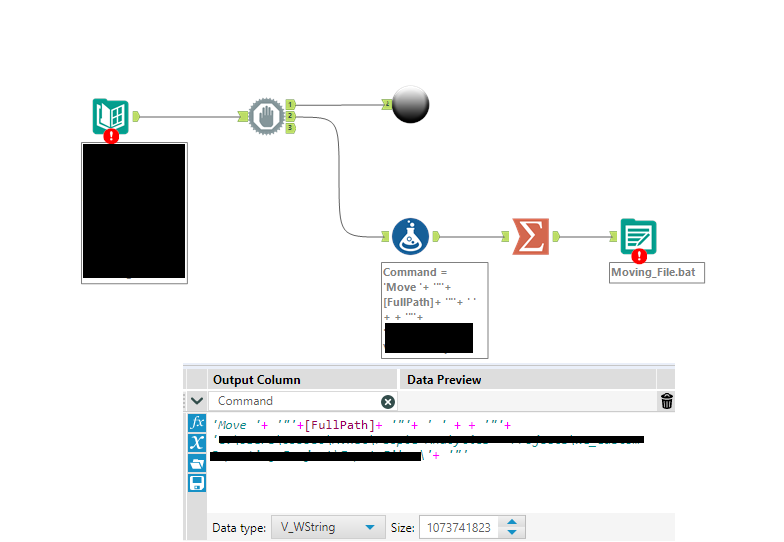
As you can see below, the .bat file is very simple and simply outputs a CMD command line for where to move the file.
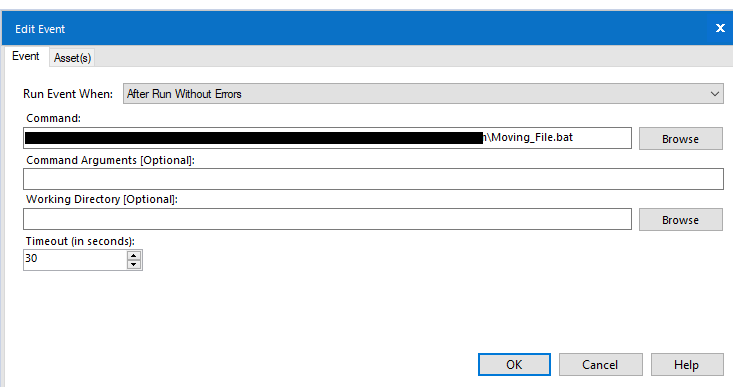
To be clear, the cmd file contents themselves seem fine. When I am running the schedule or manually run the command in cmd.exe, it works.
Perhaps it's an issue with OneDrive/SharePoint or Run As?


