Hi,
So I'd like to dynamically concatenate my columns from the input file that I provide to my workflow. For example - I have an excel input which looks like this
(see attachment)
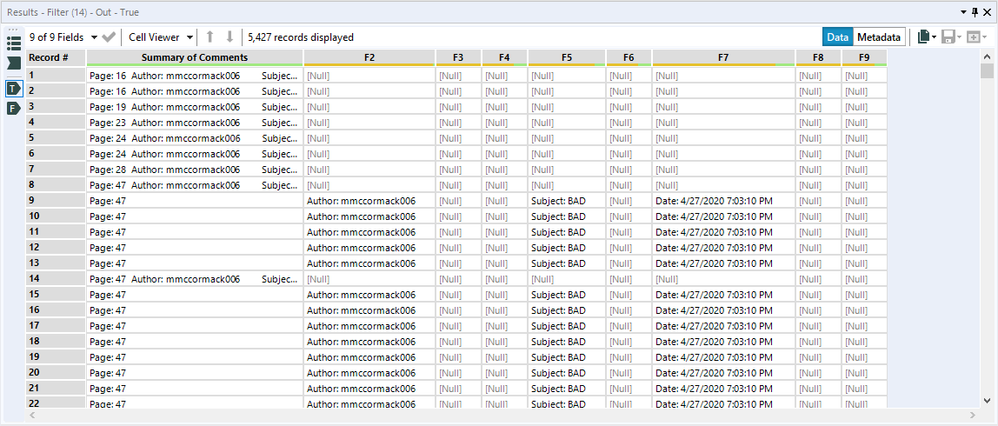
As you can see, the image that I get sometimes all the information is present in the"Summary of Comments" field, and sometimes its spread across the other fields. So the workflow that I have current built, essentially, brings ll the fields together with the following formula - trim([Summary of Comments]+ +[F2]+" "+[F3]+" "+[F4]+" "+[F5]+" "+[F6]+" "+[F7]+" "+[F8]+" "+[F9])
But I would like to dynamically populate that, because sometimes, the fields might be till F15. In a nutshell, the number of fields can vary from 1 to 15 additional fields, i.e., Summary of Comments Field with No additional field, or Summary of Comments Field with 15 other additional fields.
I tried performing the transpose and then concatenating the fields using a summary tool, but that didnt work either. Any help is appreciated. Thanks!
To summarize in one line the problem statement - i would like to somehow bring all the data that may/maynot be spread across the columns, in a single column under " Summary of Comments" after which I can then go ahead and performing my transformation logic.


