Hi,
I want to convert the seconds into 60 seconds into 1 minute i.e, 00:01:00600 seconds into 10 minute i.e., 00:10:00
Thank you in advance
Hi @Anaz_S try this syntax in a formula with your field.
PadLeft(ToString(Floor([Seconds]/3600)),2,"0") +Right(DateTimeAdd("1900-01-01",[seconds],"seconds"),6)
Hello @Anaz_S,
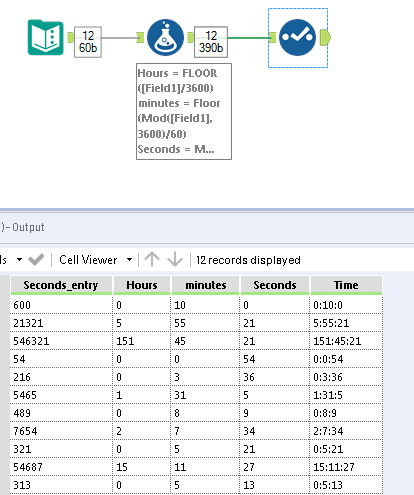
is this ok?
If this post helps, then please consider Accept it as the solution to help the other members find it more quickly.Regards
Hi @Anaz_S,
You could use a datetimeadd() function to add the number of seconds and store the value as a time data type.
DateTimeAdd('1900-01-01',[Value],'seconds')
If this solves your issue please mark the answer as correct, if not let me know!
Regards,
Jonathan
One more Solution...
Hey Jonathan and others, I'm curious if anyone knows why this formula works? Thanks!
@afv2688 awesome! your solution worked for me. thank you!