I want to isolate the last character in a string in a separate column if it is a letter. I've tried several things with no luck. The string field length varies.
Hi @bsolove ,
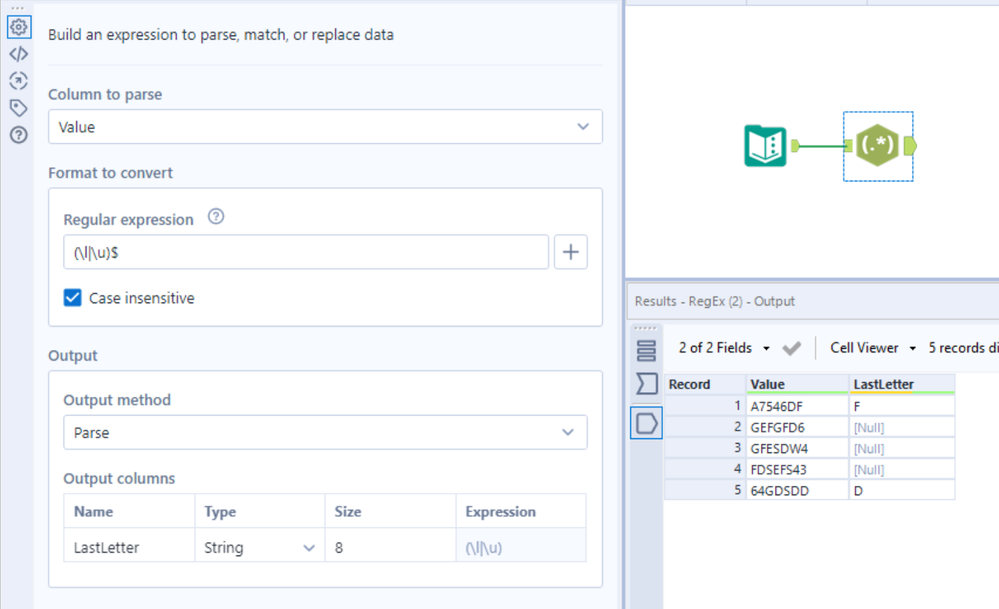
You can use regex to achieve that. Look at the attached example.
Let me know if that works for you.
Best,
Fernando Vizcaino
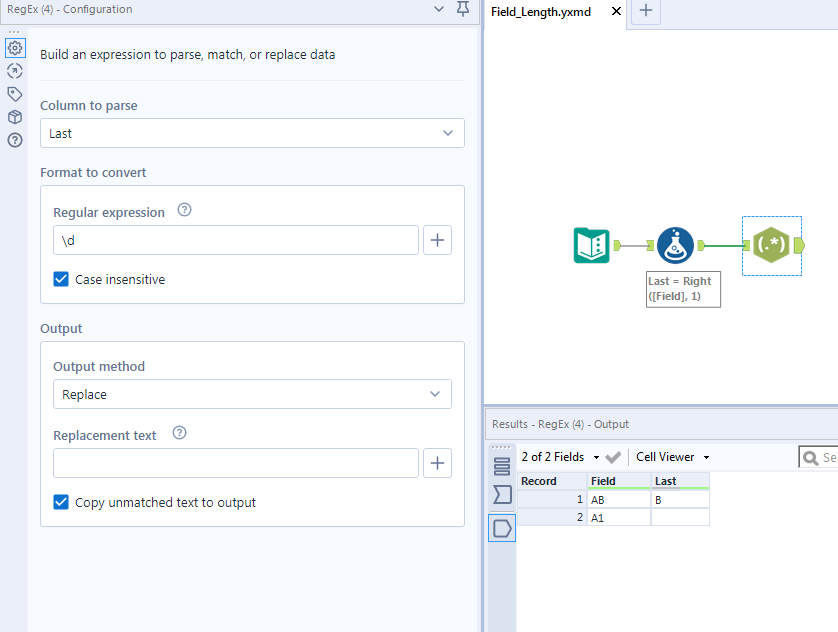
Can you use the function Right(field,1)? I mocked up a quick example and used a regex tool you can also do this within the formula tool and replace and digits so you are left with only letters.
To only return that character when it is a letter, I used and IF statement with a RegEx_Match( function. Here's an example where the field tested is "String":
IF REGEX_Match(LowerCase(Right([String],1)),"\l") THEN Right([String],1)ELSE null() ENDIF
This expression will return a null value if the field does not end in a letter.
Expression Breakdown:
- Take the last character of the string using "Right([String],1)"
- Force that to lowercase (when applicable) using "LowerCase("
- Use RegEx to test if that character is a lower case letter using "REGEX_Match(" and "\l".
- When that condition is true (the last letter is a lower case letter) then return that last character in the original form using "THEN Right([String],1)"
- Otherwise, return a null result using "nuil()"
Hi @bsolove,
I would take a slightly different approach and use one regex tool to parse out the last letter. I've used (\l|\u)$ as my regex formula, however since i have the "case insensitivity" box checked i could use (\l)$ or (\u)$ but if you need to keep it case sensitive (and un-check the box) the original regex formula of (\l|\u)$ would suffice.
If this solves your issue please mark the answer as correct, if not let me know! I've attached my workflow for you to download if needed.
Regards,
Jonathan