I am attempting to use a List Box to generate a comma-separated list of values that have been selected. That part is easy enough
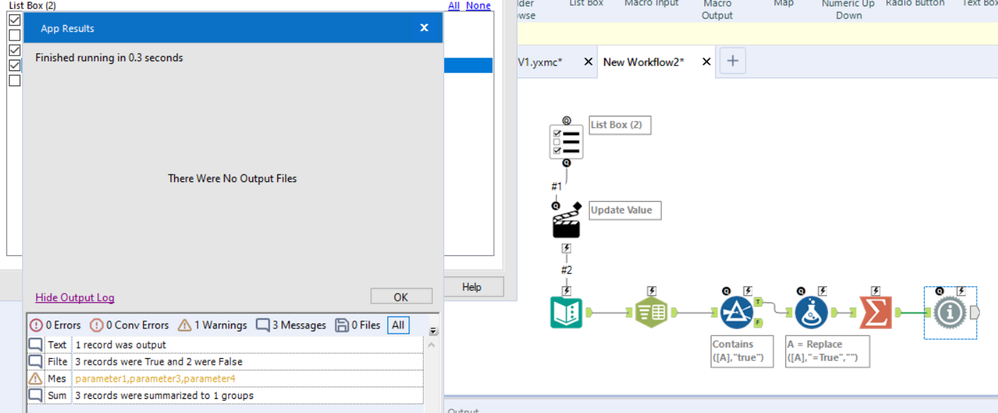
- Use the results of the List Box selection to update a Text Input tool
- Split the cell to rows with a comma delimiter
- Filter to rows that contain "=True"
- Use a Formula to remove the "=True" strings from the values
- Summarize with the Concatenate option to get a comma-separated list of checked values.
See example screen shot. As expected, the output of the final node is 'parameter1,parameter3,parameter4'
However -- is there a way to do this in a single Formula expression? (It'd have to involve RegEx, I'm sure.)
My goal is to use the comma-separated list in combination with the Action Tool's "Update Value with Formula" option to directly supply the comma-separated list to another tool in the macro.


