I have a workflow that I downloaded from a SharePoint site. The file saves in my downloads and opens automatically. When I hit run, it takes a file from the C:\ drive and saves a copy of it to the SharePoint site.
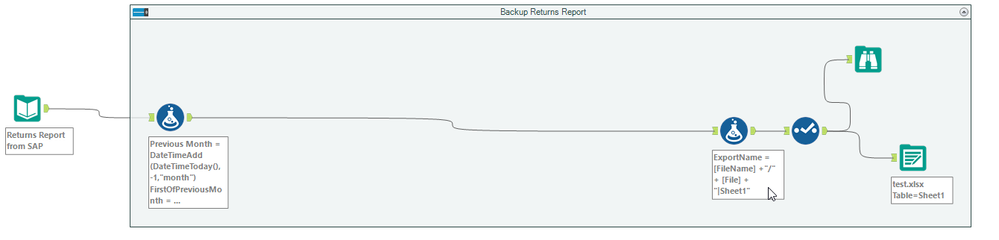
First it adds a column to the end which has the filename to save as, file name is like:

The output takes the file name from the field and changes the entire path
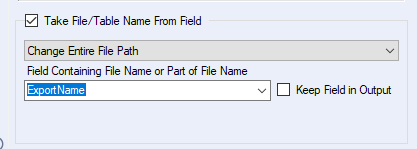
When I run it I get the following error:
Error: Output Data (120): Unable to Open archive for zipping: C:\Users\username\Downloads\https:\\sites.inside-share2.company.com\sites\105630\Documents\Reports\2019\September-2019\September-2019.xlsx Error Opening file: C:\Users\username\Downloads\https:\\sites.inside-share2.company.com\sites\105630\Documents\Reports\2019\September-2019\September-2019.xlsx
: The filename, directory name, or volume label syntax is incorrect. (123)
It is adding the workflow file location to the [ExportName] field, "C:\Users\username\Downloads\". I cannot figure out why.... Can anyone help?


