I have a data set with period values like 201901 for Jan 2019, 201902 for Feb 2019 and so on, the raw data is updated in a column called period start date, below is the input data screen shot
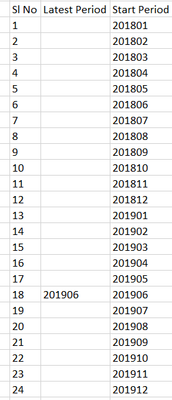
Now I want to move 'N'th row up in 'Start Period' column to copy the value and update as 'End Period', so my formula should be like
Create 'End Period'
if [Latest Period] = [Period Start]
then move 11th rows up in Period start column
else [Latest Period]
endif
Desired output would be like this
Output in case "Latest Period - 11th row up" Output in case "Latest Period - 7th row up"

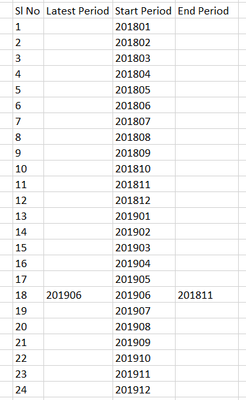
[Row-1:Period Start] in multi row tool takes me to active row -1 but how do I move multiple rows up as shown above, any easy method?
Thanks


