Hi, everybody,
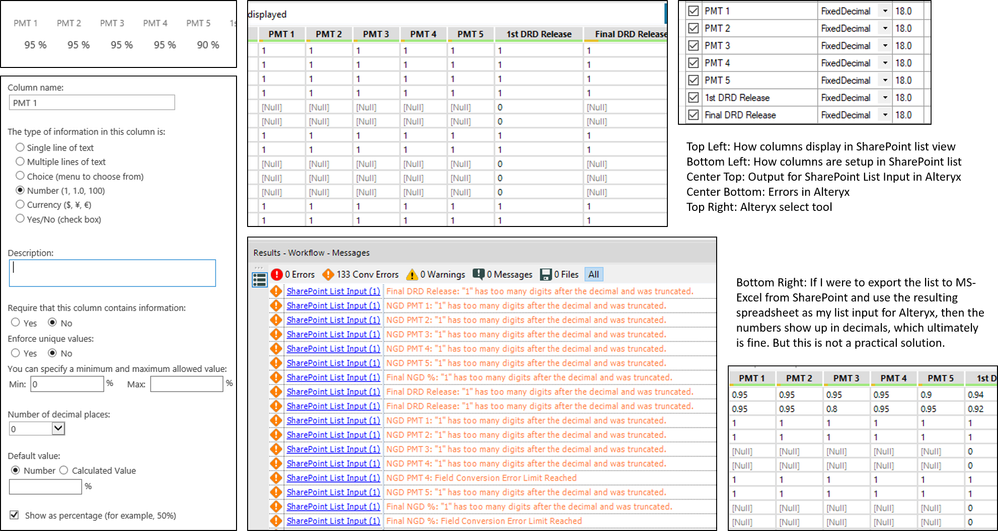
I'm having a problem with some SharePoint columns that have been set up as number (percentage.) When using the SharePoint List Input in Alteryx, I lose the values. They all come in as 1, 0, or Null. If I were to export the list to Excel and then use the resulting file as my input for Alteryx, then I have actual numbers I can work this. But this is not what I need for this particular solution. I need it to be inputting data directly from my SharePoint list. I'm including an image (see below) with screenshots from both SharePoint and Alteryx. This particular SharePoint list I need for my Alteryx input has about 20 columns set up as Number (show as percentage.) I have done some research in and out of this community, and I've seen suggestions to change the column to number and not use percentage, add decimals, and many other things. I cannot do that for this particular list. There are many dependencies and modifying the columns will affect the content in other columns and the final numbers we need will be off.
Does anybody know how to fix this? Thank you so much in advance!