 This article is part of the Tool Mastery Series, a compilation of Knowledge Base contributions to introduce diverse working examples for Designer Tools. Here we’ll delve into uses of the Sample Tool on our way to mastering the Alteryx Designer:
The Sample Tool allows you selectively pass patterns, block excerpts, or samples of your records (or groups of records) in your dataset: the first N, last N, skipping the first N, 1 of every N, random 1 in N chance for each record to pass, and first N%. Using these options can come in the clutch pretty often in data preparation – that’s why you’ll find it in our Favorites Category, and for good reason. While a great tool to sample your data sets, you can also use it for:
- Flexible parsing (attached in the workflow Sample.yxzp)
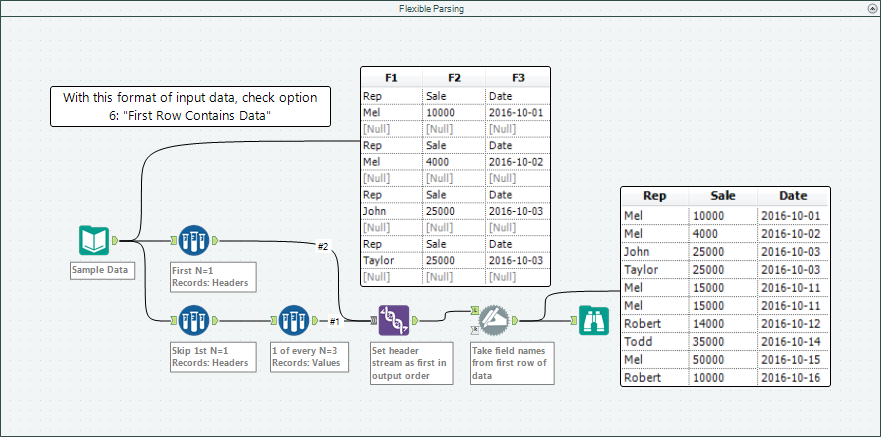
Input formats like the above are especially common with transactional data stores.
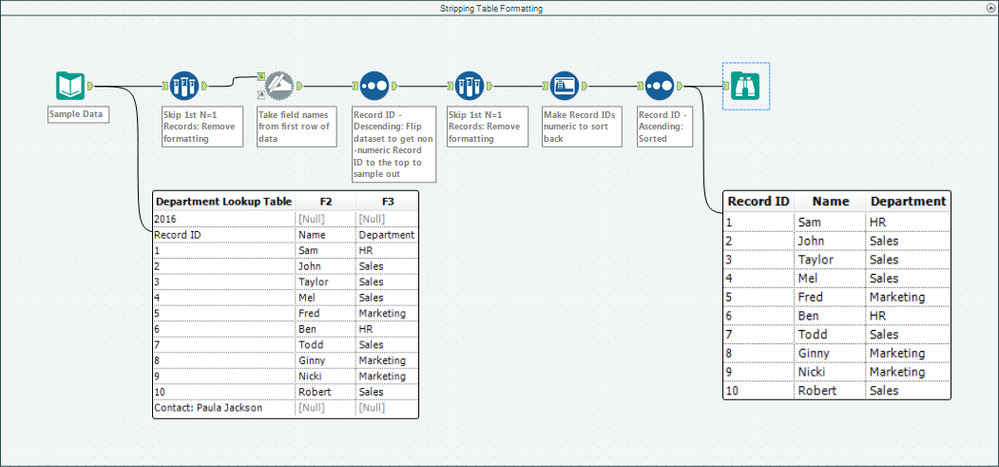
See here for a more detailed walkthrough on how to input data that doesn't start in the first row.
- Quick appending min/max or chronological first/last in date types (attached in the workflow Sample.yxzp)
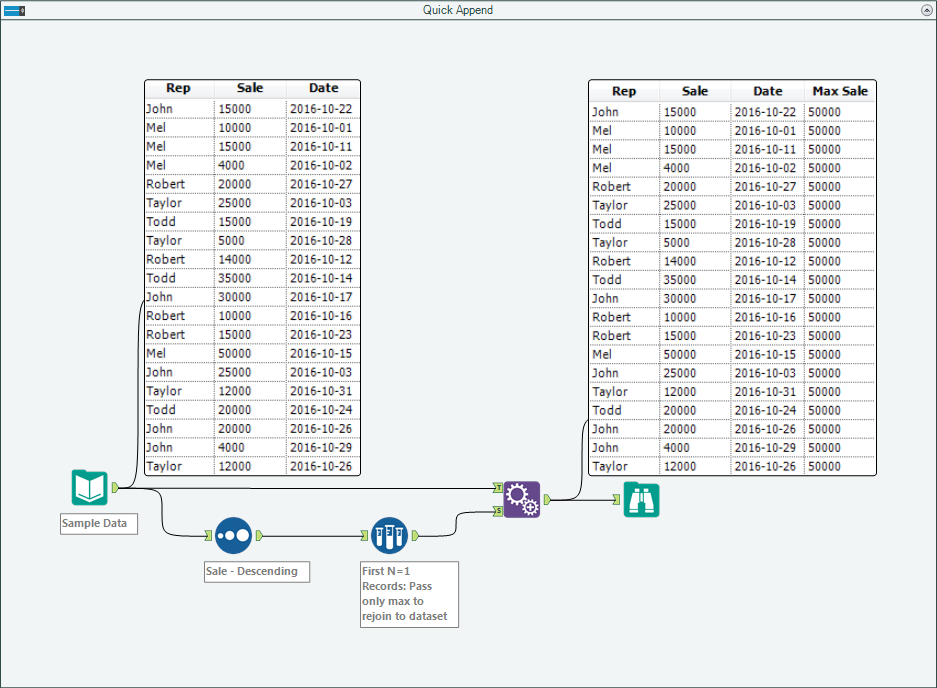
This can also be done with groups of records by using the “Grouping Fields” selection in the Sample Tool’s configuration. The technique itself is also possible, and with multiple fields at a time, using the Summarize Tool.
With use cases like the above, the Sample Tool is easily 1 of every N=1,000,000!
By now, you should have expert-level proficiency with the Sample Tool! If you can think of a use case we left out, feel free to use the comments section below! Consider yourself a Tool Master already? Let us know at community@alteryx.com if you’d like your creative tool uses to be featured in the Tool Mastery Series.
Stay tuned with our latest posts every Tool Tuesday by following Alteryx on Twitter! If you want to master all the Designer tools, consider subscribing for email notifications.
Additional Information
Click on the corresponding language link below to access this article in another language -
Portuguese
Spanish
French
German
Japanese


