Hi, Struggling a bit to create a Batch (or possibly Iterative) Macro to loop over a list of tables and apply a basic profile tool to each table.
End Goal: I'd like to be able to take a list of tables (schema.table_name) from an Oracle database which is a subset of the tables in a database, loop through each table and apply the Basic Profile Tool and ideally add the name of the table to the output, union the results from the Basic Profile Tool and then transpose the final output. By analogy with the videos on input multiple excel sheets it should be straightforward but I'm not getting it. Advice would be appreciated.
Input file:
TABLE_NAME <<HEADER ROW
SCHEMA.TABLEFIRST << LIST OF TABLES TO LOOP OVER
SCHEMA.TABLESECOND
SCHEMA.TABLETHIRD
Current version of the workflow along with the error indicating that the second and future files are skipped because it doesn't match the number of fields. This is the template condition not being met but in this case the fields won't match until after the basic profile tool is run. What am I doing wrong here?
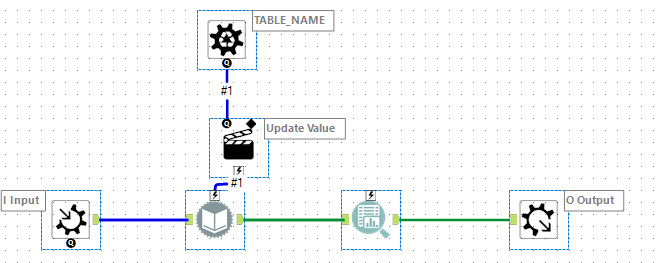

Ideally, I'd like to take the tablename and add it as a column after each table is profiled and then union the results from *all* table profiles so I can transpose the output so the fields coming out of Basic Profile are column headers.
Your collective help in setting me straight would be appreciated.


