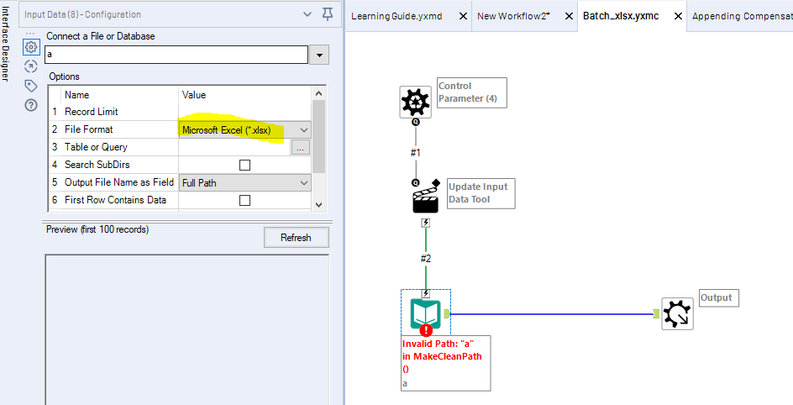
I have a folder of Excel sheets. Every month, everything in the folder is deleted, and a new set of Excel sheets are dumped in. Whenever that happens, I need to condense all these sheets together into one single data file.
The Excel files do not follow a naming convention. The number of sheets that go into this folder each month changes. The columns are typically mostly the same throughout the sheets, but not always. Each sheet has only one tab (mercifully).
I want to read all the files in together at once, append on same columns where ever able, and fill in Nulls everywhere else as needed.
EXAMPLE
---HAVE---
~DATA 1~
ColA ColB ColC
10 9 3
4 4 10
7 9 4
1 4 3
5 8 5
9 4 6
2 7 5
10 8 2
6 6 7
6 6 2
~DATA2~
ColA ColB
20 19
17 18
18 16
18 16
15 11
13 18
16 16
20 17
15 11
11 15
---WANT---
ColA ColB ColC
10 9 3
4 4 10
7 9 4
1 4 3
5 8 5
9 4 6
2 7 5
10 8 2
6 6 7
6 6 2
20 19 [Null]
17 18 [Null]
18 16 [Null]
18 16 [Null]
15 11 [Null]
13 18 [Null]
16 16 [Null]
20 17 [Null]
15 11 [Null]
11 15 [Null]
I've tried a few different ways so far:
- If I import each sheet individually (using one Input Data tool per sheet), and then use the Union tool, it does what I want perfectly. Problem is, I have to manually set up an Input Data tool for every single Excel file, one at a time (then feed those inputs all into the same Union).
- If I use one Input Data tool for everything, but specify a path ending with a wildcard, it grabs all Excel sheets in the folder ("S:\PATH\TO\FOLDER\*.xlsx"). Which is great, it fixes my dynamic number of sheets/names of sheets issue. However, problem is, that "one input tool for all files" approach doesn't handle the differing number of columns correctly (looks like it will only pull in the sheets with headers matching whichever was the first file it read in).
I've written a Python program that handles everything exactly as I want (below). I think I can use this script in a pinch, but I'd rather use native Alteryx if possible.
PYTHON SCRIPT
import pandas as pd
from os import walk
folder = "C:/Users/Desktop/test/"
input_files = []
for (dirpath, dirnames, filenames) in walk(folder):
for file in filenames:
if file.endswith('.xlsx'):
input_files.append(folder+file)
df = pd.DataFrame()
for i in input_files:
d = pd.read_excel(i,dtype=str)
df = pd.concat([df,d],axis=0, ignore_index=True, sort=False)
print(df)