I'm still a bit of a noob with macros but I ran across a datasource (excel - what else causes more problems?) which had the classic spanning headers thusly...
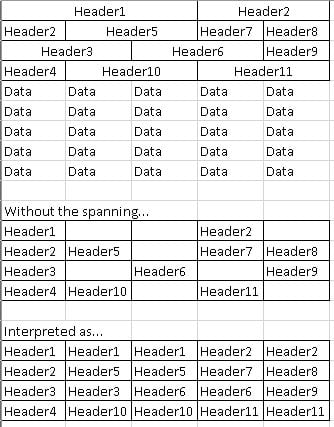
So I came up with this little macro to create a concatenated header. The only input is the number of header rows.
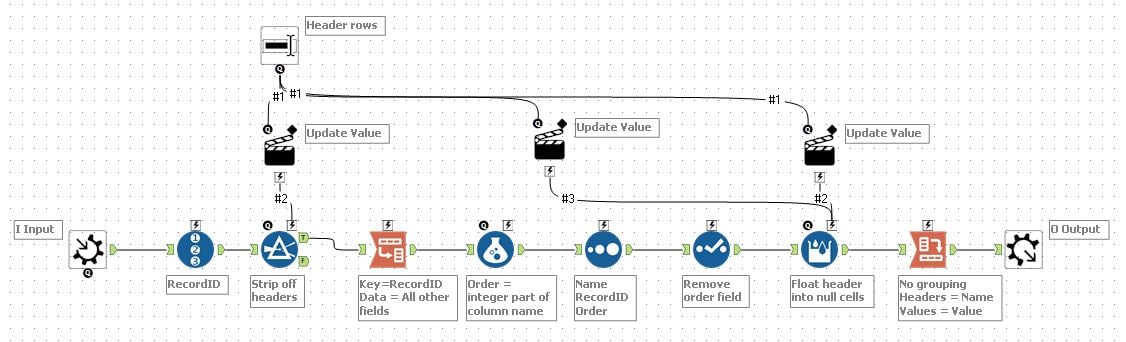
In order for this to work, the input needs to have "First Row Contains Data" Checked to get the generic column names. Is there a way to set this in the macro?

After which you can join this back to the data and use the dynamic rename
It's not perfect - this is excel where anything not only can happen but will happen. You can easily have a duplicate column name so Alteryx will make this unique.
Like I said - one of my first macros but learning more each day. Thanks for viewing


