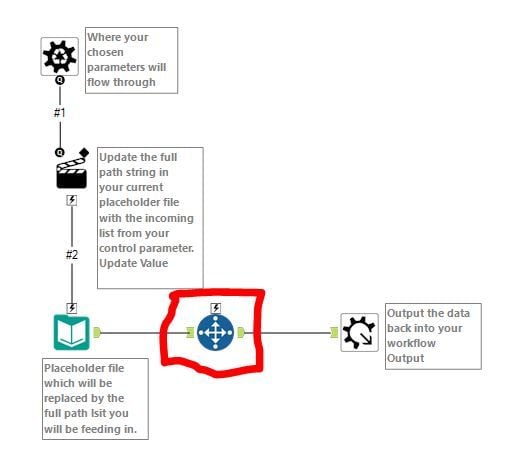
Hello,
I am using the Batch Input Macro from this post (https://community.alteryx.com/t5/Alteryx-Knowledge-Base/The-Ultimate-Input-Data-Flowchart/ta-p/20480) to input one tab from 36 Workbooks. The tab is not the exact same in each workbook, hence the need for the batch macro.
I want to modify the Macro to look down the rows of the tab, & to select only those records that occur below a specified piece of text...
For example:
- in Workbook 123, the text "Select from here" appears in row 134, therefore I want the "Select Records" tool with the range 135+
- in Workbook 456, the text "Select from here" appears in row 160, therefore I want the "Select Records" tool with the range 161+
I want the modification to be made before the Macro Output tool like in the below screenshot where I added the "Select Records" tool
Any ideas?