Has anyone else experienced this? I'm running a bunch of macros in a batch and can't move the base workflow without them all erroring out. See first the working version below:
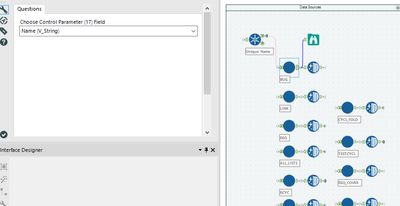
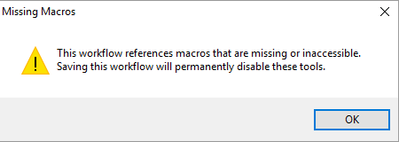
Each takes in 'Name' and spits out a bunch of data. Works great. Now, when I tried giving this to my coworker to run, it showed an error on opening, and all of the macros showed up as question marks without macros tied to them (see below).
Error:
Failed workflow:
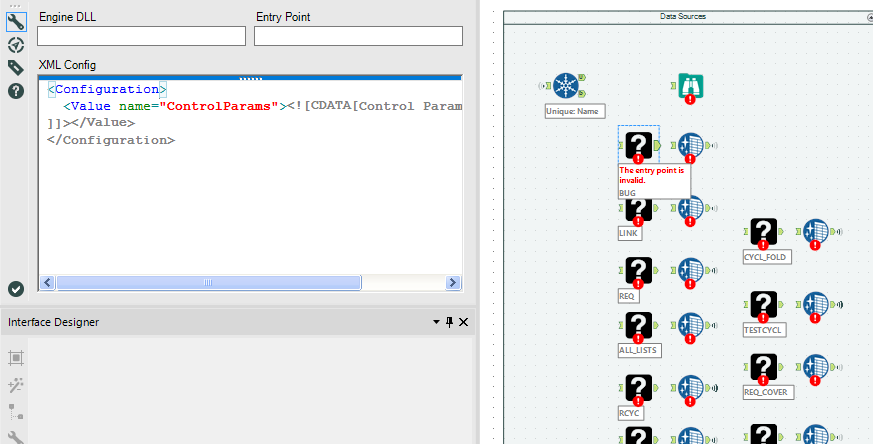
All of the macros were included, he'd updated all of their file references beforehand, and everything should have been good, but it didn't even seem to know they were macros at all.
What really got me: I can open the workflow from the Dropbox folder I moved it into, and it works fine. When I move it and all of its files back to my machine? Error City.
Now, I can go and add in all of the macros individually, and they'll work, but I'd rather learn what's wrong here and how to either fix or avoid the situation in the future.
So far, I've been able to make this happen with workflows running one single batch macro as well, so it's not data size, as far as I can tell. I'm also already running 10.6.
Anybody know about this?
Thanks,
Charles


