Hi
I am working on a requirement finding and replacing a field for that attached workflow i tried, the data getting truncated in output and for Null its not returning value.
In 1 find and replace tool can we use multiple.
Thanks.
This should work
Workflow
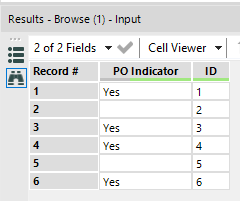
Results
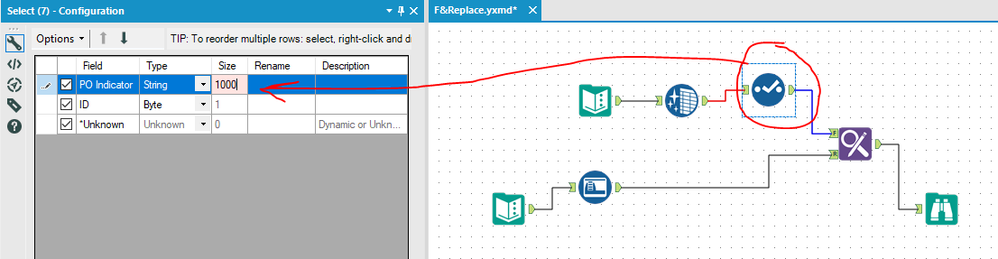
Your replacement is truncating because the field isn't large enough to contain the replacement. This is very common with text tool inputs. If you insert a select tool you can see the PO Indicator field size = 2. Increase the size to handle all replacements. (above 5 should be good, maybe above 1,000 to be safe for any text)
Field Size
Hi,
Truncation is because field sizes are different. For Nulls (or empty fields) you can use a temporary value to use in Find Replace. See attached.
tried using select and changed the size to 10000 still its truncating.
Thanks
your workflow results are showing the Ye for yes , i used auto field tool also still same Ye.