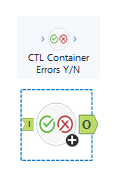
 Description
This macro acts as a gatekeeper between Control Containers by evaluating the execution results of a Control Container before allowing the next Control Container to activate.
It inspects the Control Container output log to determine:
- Whether the container actually executed (i.e., did the tools within the Control Container run?)
- Whether any errors occurred during execution (i.e., did any of the tools within the Control Container that ran fail?)
Based on these checks, the macro conditionally passes or blocks data coming out its output anchor, effectively controlling whether the next Control Container to which it would connect to, activates or not.
What This Macro DoesIn workflows using chained Control Containers, execution of downstream containers can be controlled by whether data flows into them.
The macro has no configuration - simply connect it from one Control Container, to the next Control Container.
This macro leverages that behavior by:
- Connecting from the output anchor of a Control Container
- Evaluating its output log
- Deciding whether to allow records to pass forward
- Connecting to the input anchor of a the next Control Container
The result:
- If everything ran successfully → a single record is passed from the macro to the downstream container (this record is irrelevant; the container won't use it, other than to see that "something" is there), therefore activating the next Control Container
- If nothing ran OR errors occurred → no records are passed from the macro to the next Control Container, therefore preventing execution of that next Control Container
How It WorksThe macro checks two conditions from the incoming Control Container output log:
1. Did the Control Container execute?
- If the upstream container did not run, no records will be present
- In this case → macro outputs no records
2. Were there any errors in the execution log?
- The macro parses the Control Container output log
- If any errors or failures are detected → macro outputs no records
Final Logic
Condition | Macro Output | Next Control Container Behavior |
|---|
Records present AND no errors | Records passed | ✅ Activates |
No records | No output | ⛔ Does not activate |
Errors detected | No output | ⛔ Does not activate |
Control Containers activate only when data flows into them.
This macro gives you a clean way to:
- Prevent downstream processing when upstream logic fails
- Avoid cascading failures
- Build sequential, dependency-aware workflows
How to UseStep 1
Connect the output anchor of the Control Container to the macro.
Step 2
Connect the macro’s output to the input anchor of the next Control Container.
Step 3
Repeat this pattern for additional chained containers.
Example Use Cases- Multi-step workflows where each step depends on the previous one succeeding
- Preventing expensive downstream processes if upstream fails
- API / data enrichment pipelines
- Data quality gates between workflow stages
- De-buggable, modular workflow design

