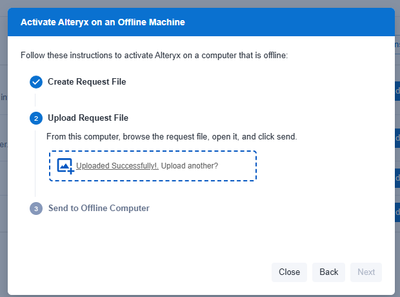
I'm trying to activate a license via the offline method and when I complete step 2, it doesn't take me to step 3. Anyone else having similar problem or know solution?
@kcoleman It seems Step 3 needs to be performed on your offline PC, meaning you will using the on-line PC to download the offline activation file and somehow bring it to the offline PC then activate the license from there.
I'm not getting far enough to do that (step 3) as the system isn't taking me to step 3 in order to download the .bin file required.
Offline activation in Alteryx can feel a bit clunky compared to the standard online process. I’ve gone through it before, and the key step was generating the request file on the offline machine, then uploading it from a device with internet access to get the response file. Once imported back, the license usually activates without issues.