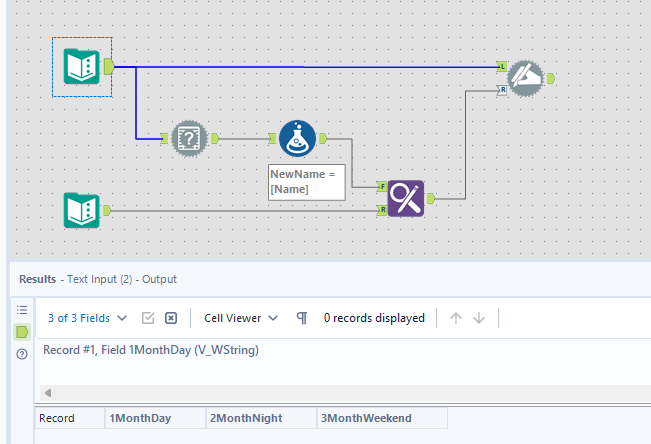
I have the column headers
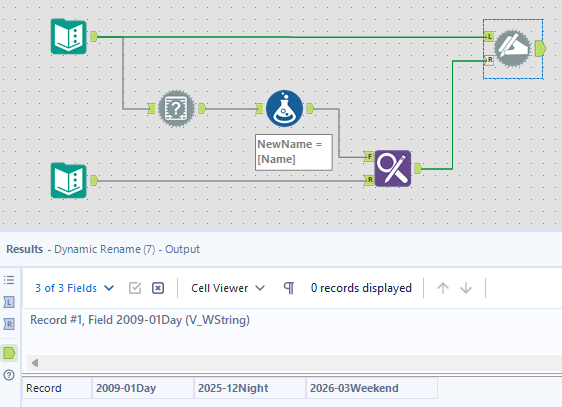
And the want to replace just the string in the below Image with the actual numerical months (ie 2025-09)
I know dynamic rename will replace if the column header matches exactly, but I just want the string portion matched.
See the attached solution. You can use the replace tool after transposing your data and then reassemble your table with cross tab.
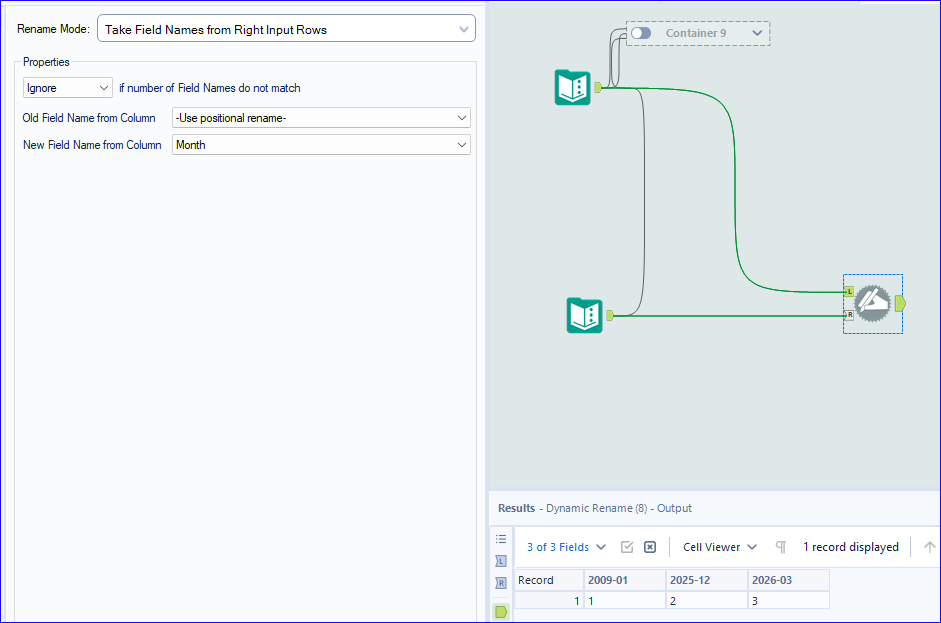
If I understand the ask, you can use the field info tool to grab your original header names, and a formula tool to copy them to create a new name field. Use Find and replace to create your updated field names and then dynamic rename to update them.
@briankuhlmann Maybe its something like this if I understand your intention correctly?
Hi, @briankuhlmann
The 2 solutions for you as below:
'2025-' +
PadLeft(ToString(ToNumber(Left([_CurrentField_], 1)) + 8), 2, '0') + REGEX_Replace([_CurrentField_], '^\dMonth', '_')
Can you show a full example of the before data and desired (after) data? I think I'm following your ask, but not 100% sure. Even if the data is fake, it would be best to see the before and after examples.
Thanks, -Jay
@briankuhlmann can you mark one or more of the responses as a solution to close out this thread? Thank you in advance!