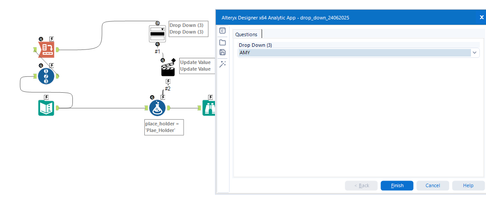
Hi I want to configure my drop down tool to be able to select a user's name in the workflow which will feed into a formula tool that has If/Then statements that will generate different outcomes in columns when a specific user is selected?
@Khristian_Evans one way of doing this
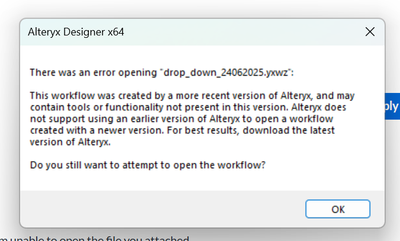
Could you please give me a screenshot of the tools you used? I am unable to open the file you attached
@Khristian_Evans, what error are you facing while downloading the attached file?
@Khristian_Evans what alteryx designer version do you have now?
Version 2023.2.1.133 Patch:3
can you try to open the attached workflow, i changed the version to 2023
It opens but only as an analytic app so I can't go into actual workflow and see how this was configured, just the ending output
just drag and drop the workflow in side the alteryx canvas , it will open
Ok that worked thanks! If I select a name from the drop down when I run workflow, how do I exclude all other names from outputting to rows?
@Khristian_Evans Your formula tool should connect your input file, the input text tool, which contains the names, you can keep it separate, you don't need to connect the input text with the formula tool.
Also, check out these links:https://help.alteryx.com/current/en/designer/tools/interface-tools/drop-down-tool.html#drop-down-tool
https://community.alteryx.com/t5/Tool-Mastery/Tool-Mastery-Drop-Down/ta-p/37094
You can also right click on the Drop Down tool and open the example.
Also, the sample under "Help > Sample Workflows > Use Scripting and Automation Tools > Build an app > 06 Calculate a mortgage payment" has dropdowns in it.