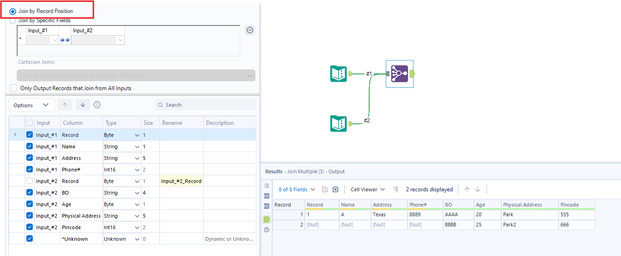
I am trying to consolidate 2 input date with dynamic fields , attached is the sample file.
@dhirajs2024 join multiple should work on your use-case
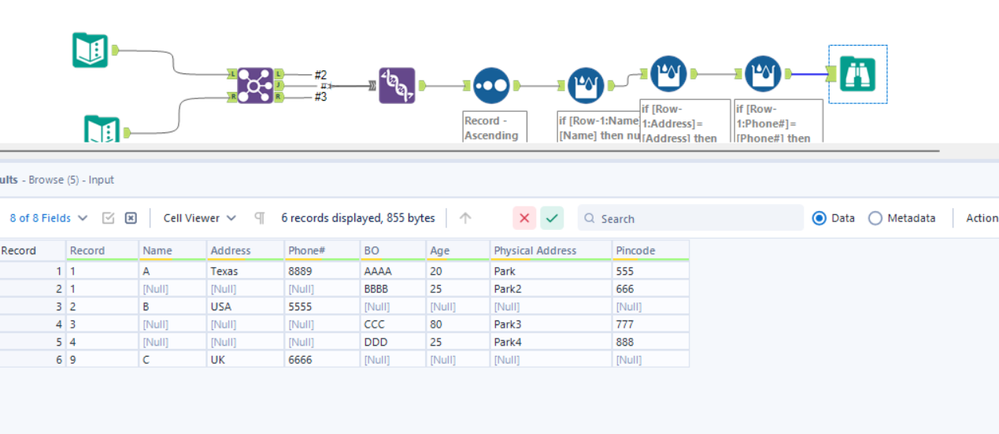
My data has blank record id , please find the example's with more data. Also the input can be 3 .
@dhirajs2024
Thanks,
if [Row-1:Name]=[Name] then null() else [Name] endif
but the above expression will only work for max 2 record when i add more data it give me below result1 A Texas 8889 AAAA 20 Park 5551 [Null] [Null] [Null] BBBB 25 Park2 6661 A Texas 8889 AAAA 20 Park 555
i used unique but again the records get scattered
Not sure if you figured this out, but instead of using Name I would use Record. if [Row-1:Record]=[Record] then null() else [Name] endif
You can use a batch macro to combine the columns among multiple files