Hi there,
I have monthly inputs including a date in the file name, say "20240906" for YYYYMMDD. During import, I chose the "import filename function", extracted the year& month in a new field [Extracted Date] and played a little with cross tab / transpose to get "202409" either as a column or a value.
Also, this input file contains columns such as "Name", "Amount" and "Number".
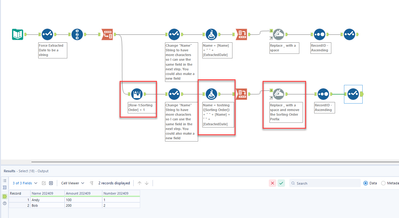
What I need to do is to dynamically add the extracted date as a suffix after the field names. Result should be "Name 202409", "Amount 202409" and "Number 202409", while in October, the result should be ""Name 202410".
Using "dynamic rename" tool and "Add suffix" only allows to enter a static value followed by my decision to add this value as a prefix or suffix. But I need to enter the value dynamically, here dependent on the date in the filename.
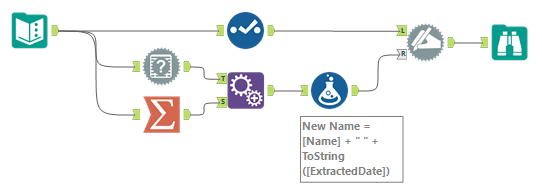
Other solutions using "Take Field Names from Right Input Rows" sound great, however I struggled to implement a proper solution.
Even with using cross tab for the FileName/extracted date and trying to use a multi-row formula creating new values with "[Name] + [Exctracted Date]" and then transpose it as my final columns failed.
Any suggestions on dynamic suffixes?
Thank you in advance,