Hello All,
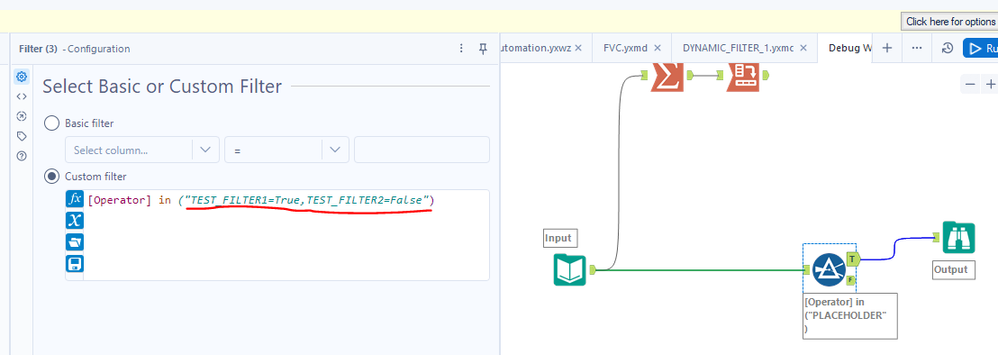
I am attempt to create a workflow that creates a dynamic check list in the analytic portion of the app based on the "TEST_DATA" workbook and then using said check list in another workflow to filter down the data. Additionally, being able to select multiple from the list to run at once is key here that is why I attempted to use the "in" formulas in the macro.
Attached:
1. TEST_DATA_1, TEST_DATA_2 and TEST_DATA_COMBINED: Source data, Columns that will be utilized as the control "Operator"
2. DYNAMIC_FILTER: This workbook is attached to the list interface tools in the "TEST_WORKFLOW" so that the checkbox changes with each file thats added. If TEST_DATA_3 was added then TEST_Filter3 would be added to the below.
3. TEST_WORKFLOW: this simulates how the dynamic filter should be used. If the operator is selected in the analystics app I would like it to filter the TEST_DATA_COMBINED down to what matches on whats selected.
4. DYNAMIC_LIST: this workflow creates the "DYNAMIC_FILTER" file first based on the TEST_DATA
5. DYNAMIC_FILTER_1 & 2: These are my attempts to filter the data on the available operators from the data that will also show up in an analytics app.
Ultimately the final version of the "DYNAMIC LIST" and "TEST WORKFLOW" will be chained together but for now I cant get the macro to successfully filter the data based on the "DYNAMIC_FILTER" workbook. Any and all assistance would be greatly appreciated