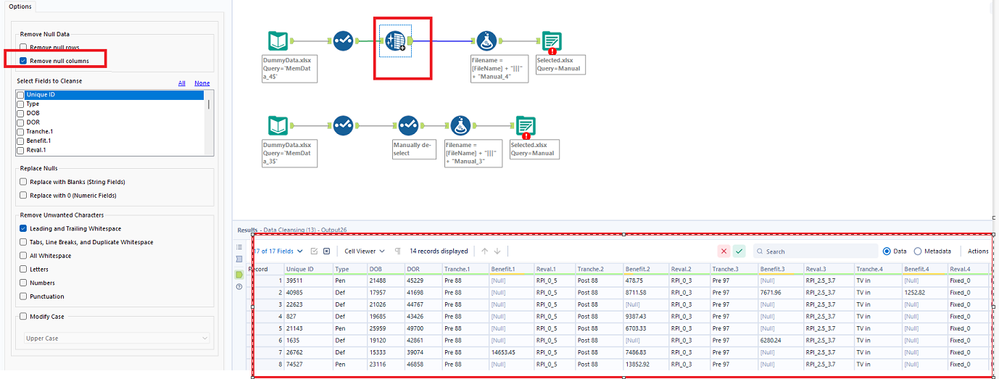
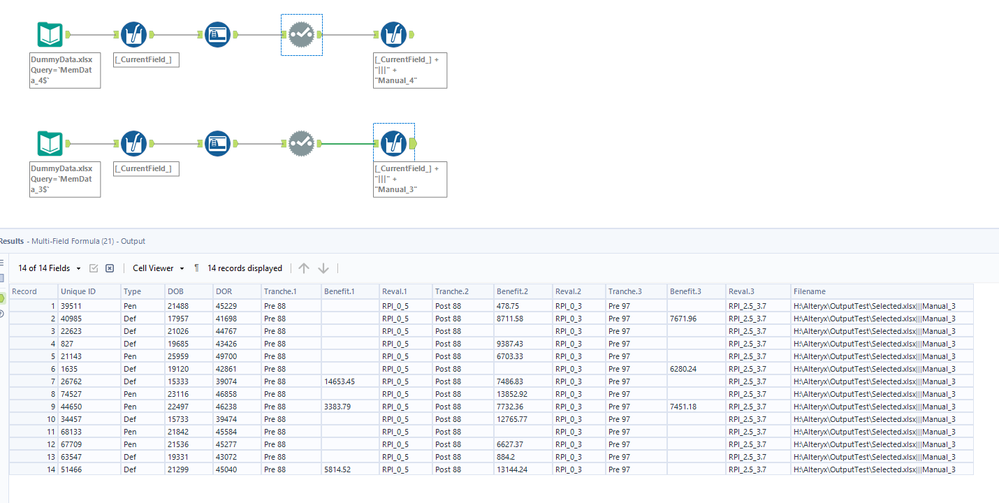
I'm currently working on a workflow that is used to transform pension scheme data into the format needed for downstream processing.
To avoid passing blank columns, I'm trying to find a way that will deselect columns based on the content of another one(s)
I've got an Excel spreadsheet with dummy data in a similar form to that towards the end of my workflow - i.e. all of the data has been tidied up and simplified, however there are blank columns for the benefits that are possible in the workflow, but don't exist for this particular pension scheme.
I've got 2 tabs of data "MemData_4" where there are 4 active blocks of data, and "MemData_3" where there are 3 blocks. The workflow would allow for 12 blocks of data.
At the moment, I'm inspecting the data and then using a Select tool to remove the blocks that are empty. I'm looking to automate this part so that if a scheme has more / less columns, users don't have to manually update the Select tool.
I'm thinking of some kind of For... Next loop with a deslect condition based on the contents of the relvant Tranche.i column, but I can't seem to find anything to do this..
For i = 1 to 12
  If IsEmpty([Tranche.i]) Then
    [Tranche.i].Deselect
    [Benefit.i].Deselect
    [Reval.i].Deselect
  End If
Next iSo if [Tranche.i] is blank (the code will populate this column for all records provided that at least one of them has some data in the other [****.i] column), drop all other columns with the .i suffix.
There are 15 columns in each block of data (rather than the 3 in this simple example), hence I'm looking for an automated solution
The worflow is running on a VDI with no access to the C:\Drive so I can't use UDFs either!
Thanks in advance