Dear Experts,
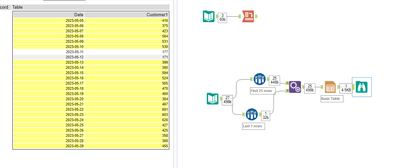
Trying to figure out if there is a way to apply conditional formating using Table Tool for the following cases.
I assume it would be an individual column formula for each customer that would reference the value indicated in the "ORDER_COUNT_2STDDEV_BELOW" and compare it to each value in the column?
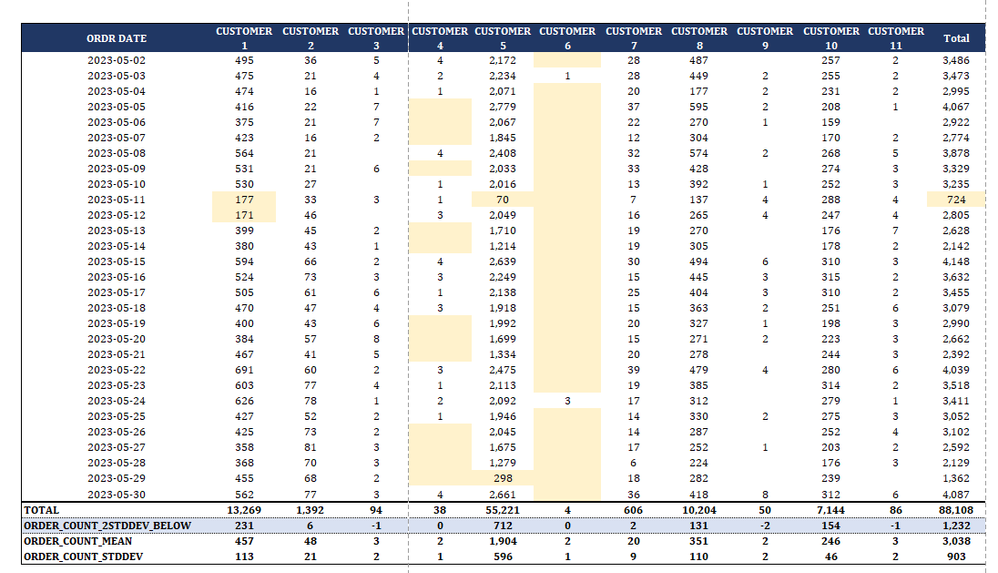
Customer 1: Highlight Column Value in yellow where it's equal or less than the value indicated in "ORDER_COUNT_2STDDEV_BELOW". In this case it would be all the values equal or less than 231
Customer 2:
Highlight Column Value in yellow where it's equal or below the value indicated in "ORDER_COUNT_2STDDEV_BELOW".
In this case it would be all the values equal or less than 6
Bold Last 4 Total Rows: (Row formula used)
REGEX_Match(ToString([_currentfield_]), 'Total|ORDER_COUNT_MEAN|ORDER_COUNT_2STDDEV_BELOW|ORDER_COUNT_STDDEV')
Desired Output:
Thank you in advance!