Hello,
I have the following situation:
1. I copy and paste from a different directory to my work directory a file with the original formatting and containing a vba macro - for which I use the prompt command tool;
2. I work the file in different containers which will overwrite some existent sheets in the copied folder + will create some non-existent sheets.
Step 1 and 2 work perfectly.
3. I need to rename the worked file using the original formatting + the new attached sheets + containing the original macro - I tried to do it though run command again (under the formula 'copy " ' + [User.LocalPath]+"\"+[FileName]+' " '+ ' " '+[User.LocalPath]+"\"+[New File Name]+' " '). This workflow will run everyday and the name will always change and for example this will add a "RECON" part to its name to be able to differentiate it, for eg:"20230424_074205903_Z41102_DEC" will be called "20230424_074205903_Z41102_DEC - RECON". I tried in many ways to solve this in order to have the disired output, but none worked:
a). I tried to have it in a separate container at the end using an automatic input doing the same thing, but it runs in the middle of the first part of the workflow (and this should be the end point), although using a blocking tool.
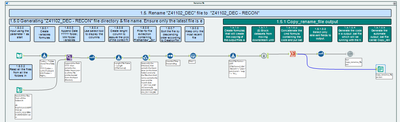
b). I created a bat file linking the command run to the last sheet created so I can rename using the initial file formatting - but I am having an error regarding the run command.
c).I created a bat file with the renaming code in prompt command but this will be outputted in a bat file (in a specific directory) and then will be triggered in the events as per the attached prints:
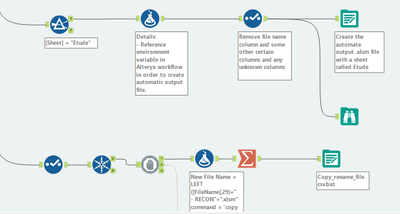
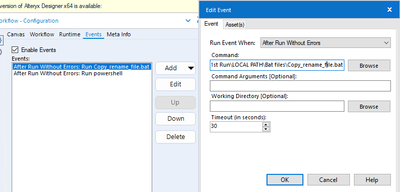
The error that gives:

Also, although I am trying to solve it this way, I am not sure that the formatting will be kept in the case of b). and c).
Do you have any solution for my issue?
Please note that I cannot attach the workflow as it is a big one.
Best regards,
Denisa Grecu


