Hi community! I have a question - can I use the formula tool to do :
- a regex match to match my two capturing groups
- then, if my second capturing group is x, replace it with y
I can do it via multiple steps, but I'm eager to do it in fewer steps if possible.
So my data looks like this
202104
202105
202106
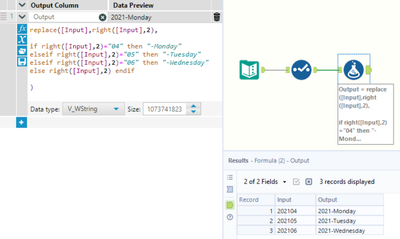
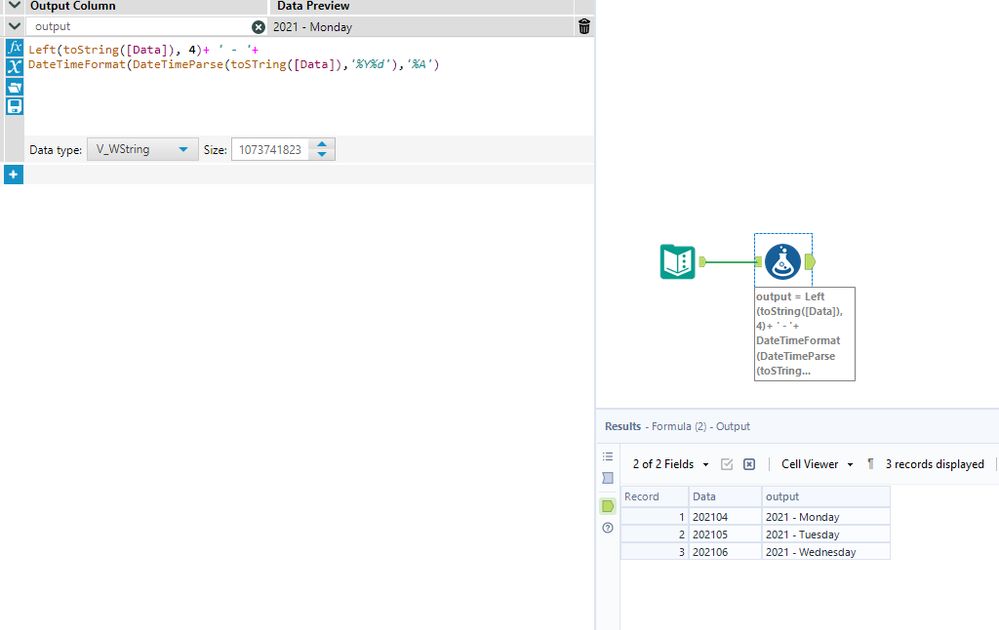
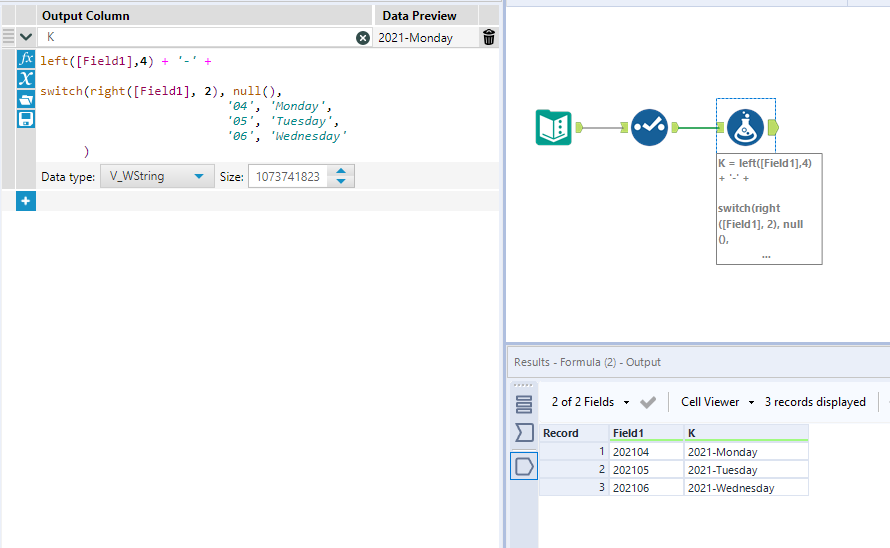
What I want is to change this column to read
2021-Monday
2021-Tuesday
2021-Wednesday
So I want to keep the first four digits i.e. the first capturing group, and then replace the second capturing group by saying IF 04 then Monday, IF 05 then Tuesday, IF 06 then Wednesday etc. I've used this expression
IF REGEX_Match([Period], "(\d){4}(04)") then "Monday" elseif
IF REGEX_Match([Period], "(\d){4}(05)") then "Tuesday" etcAnd then via multiple steps I get to my desired format.
Is there any way to get to my output in fewer steps?!
Hope this makes sense and thanks for any tips!