Hello,
Long time lurker, first time poster here. Preface this with many thanks for resolution as I am sure this is something basic that I am overlooking.
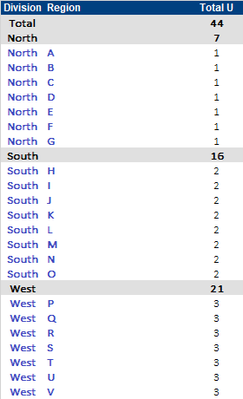
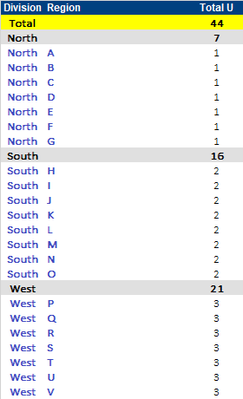
I have a table, where I have subtotal and total rows on fields ‘Division’ & ‘Region’. For both region and overall totals, the rows are highlighted, however I cannot correctly apply a row rule to highlight the overall total separately.
Current Table Output:
Desired output (where overall total row highlighted yellow)
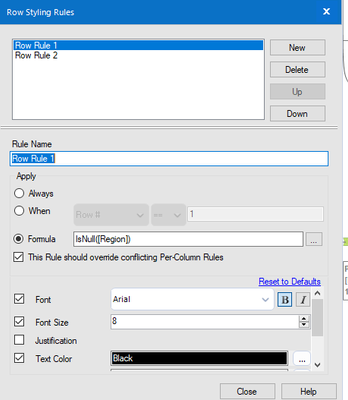
Currently have 2 row rules:
1. IsNull([Region]) (highlight grey)
2. Rule 2, contains([Division],"Total") highlight yellow
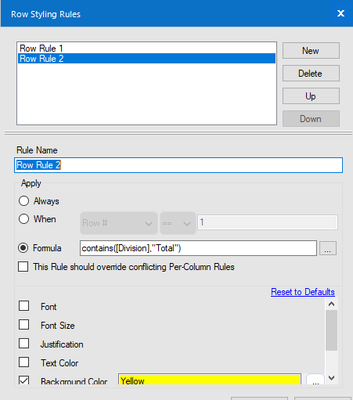
Regardless of rule order, all rows where region is null is highlighted in grey (i.e. rule 1). Essentially, I guess the rule should be if Region is null and division <> Total, then we would like to color grey, otherwise yellow. Again, I am sure this is something simple that I am overlooking. Thanks again!


